
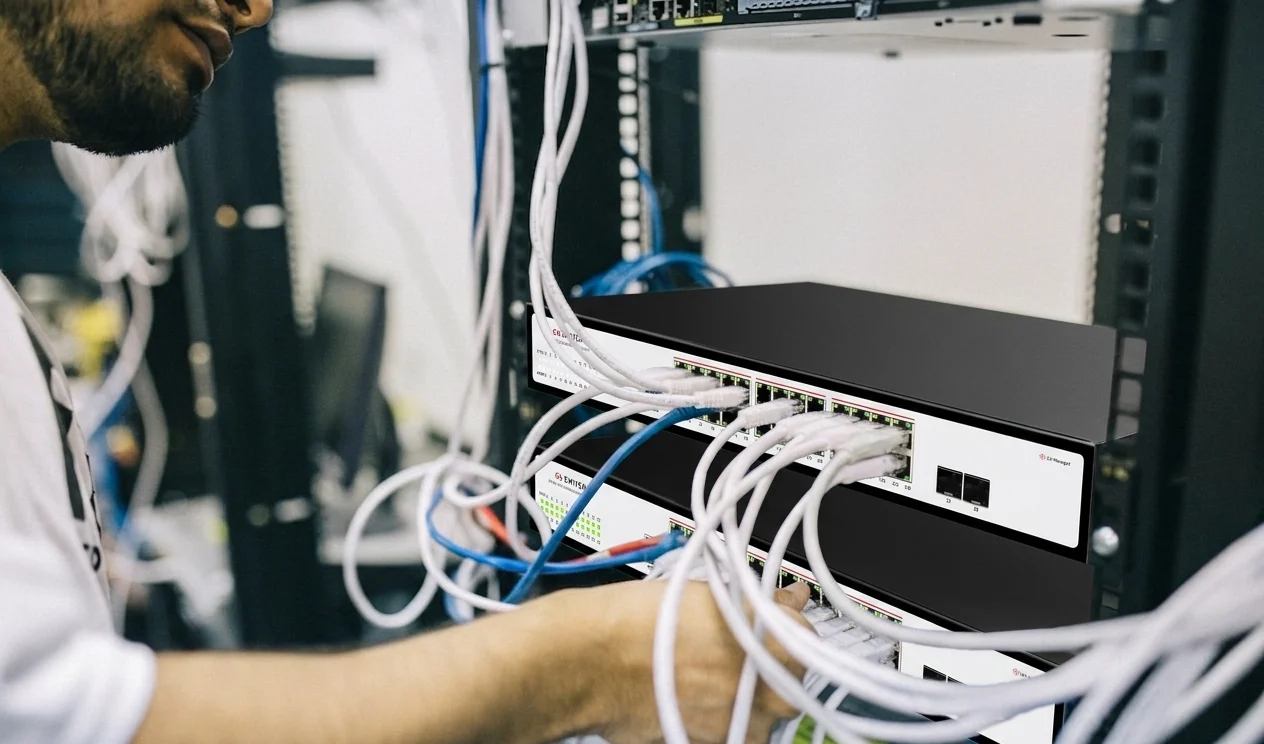

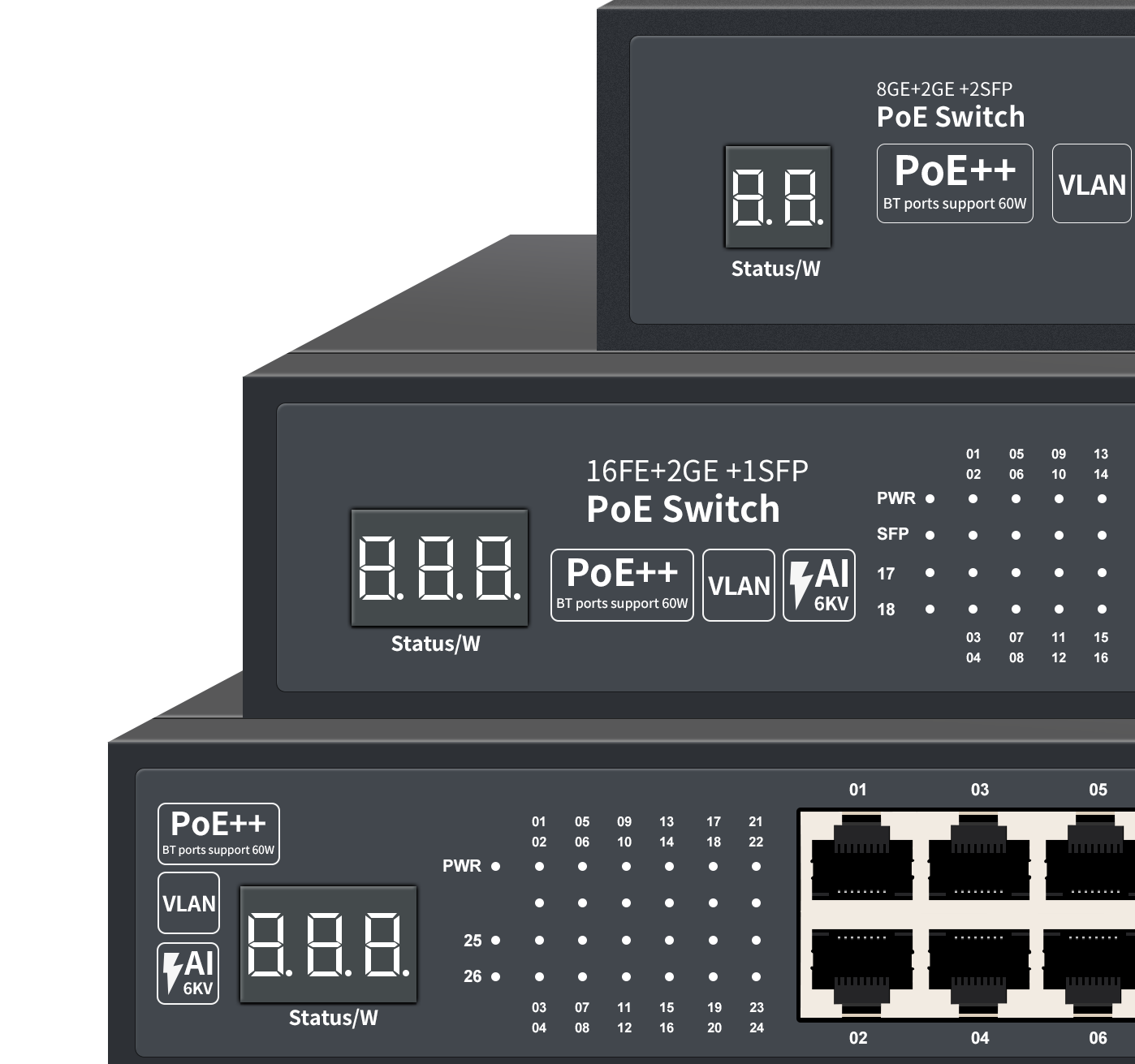
Professional Industrial Ethernet Switch & PoE Solution Manufacturer
Providing OEM/ODM services for global distributors.
ISO9001 Certified Factory in China.
Get 2026 Wholesale Price List & OEM Catalog
High-performance L3 Managed Etherent Switches
One-stop network device management and maintenance,
featuring a modern, user-friendly cloud management interface.
View Cloud Managed Switch User guide

OEM & ODM Factory for Industrial Ethernet/Networking Switches, PoE Switches & Media Converters
Why Choose WangLink’s Networking Switch?
All our switches are independently designed and manufactured, with a complete product range. They are all stable solutions refined through years of iteration, featuring reliable connection with zero disconnection and superior quality. We are a direct factory supplier, supporting both wholesale and retail.
How many types of Ethernet Switches does Wanglink produce?
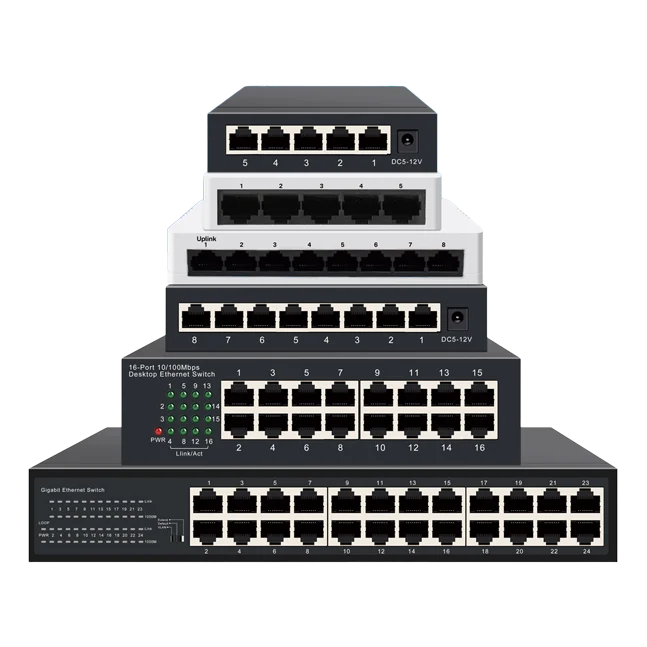
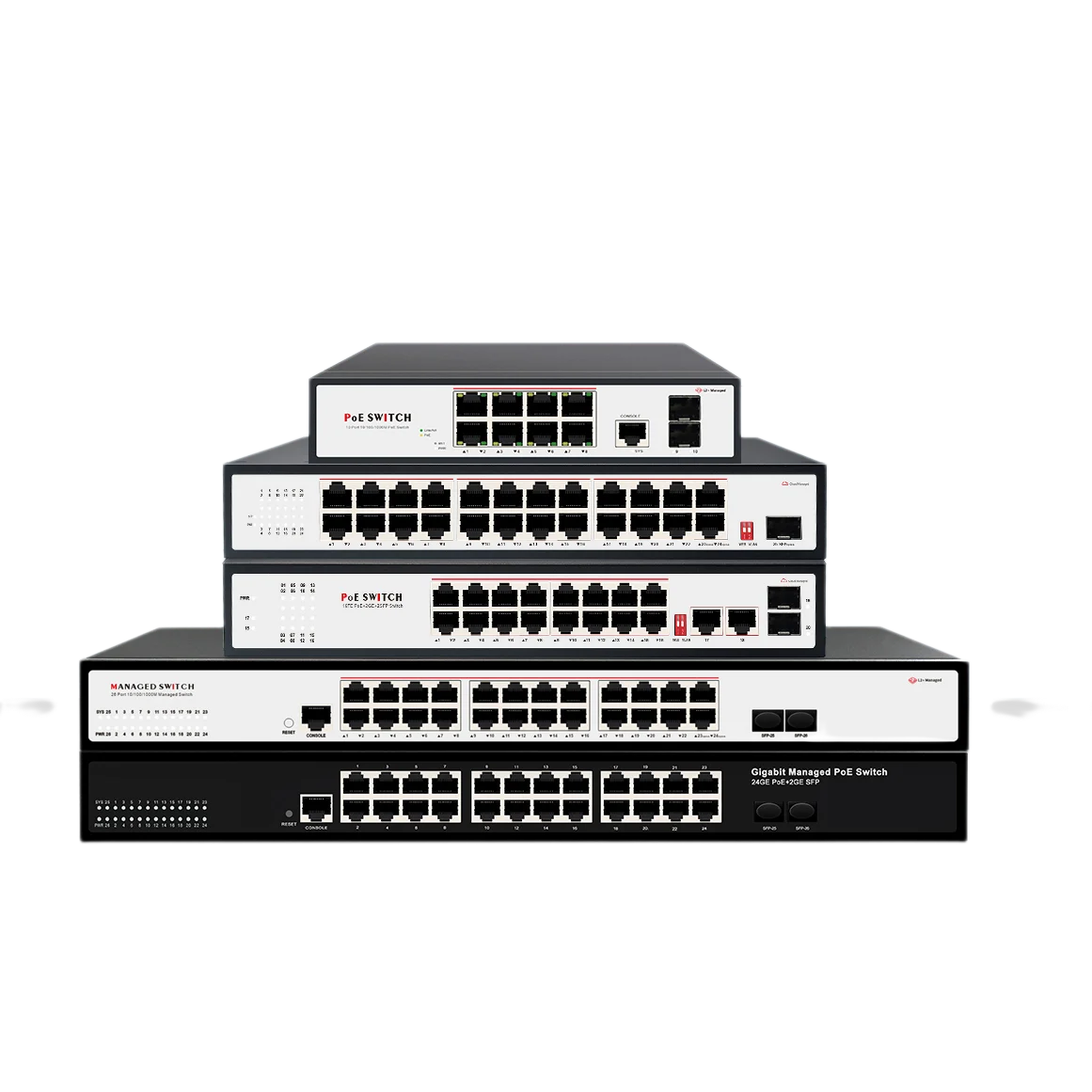
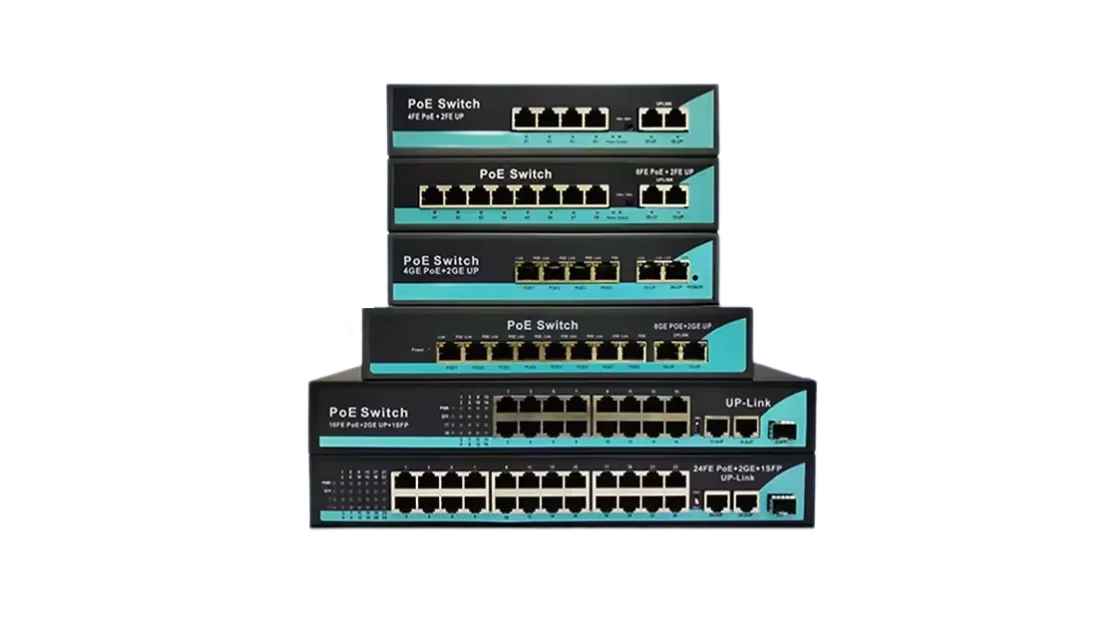
Port Configurations: 4 8 16 24 Ports network switch
- network switch 4 port: Unmanaged/PoE/industrial variants, for small-scale surveillance and AP setups.
- network switch 8 port: Gigabit/PoE/smart models, suitable for small offices and industrial IoT.
- network switch 16 port: PoE/smart/managed options, ideal for mid-sized network expansion.
- network switch 24 port / 24 port network switch: Rackmount/PoE/managed types, for enterprise and industrial backbone networks.
Functional Types: Unmanaged, smart (easy/web-managed), managed, PoE (af/at/bt), and industrial switches, meeting different connectivity needs.
Get 2026 Wholesale Network Swich Price List & Catalog
| Key Aspect | Hub | Network Switch |
|---|---|---|
| Data Transmission | Broadcasts data to all connected ports (causes congestion and bandwidth waste) | Forwards data to target device port only via MAC address recognition (efficient, low latency) |
| Bandwidth Allocation | Shared total bandwidth across all devices | Dedicated bandwidth per port (no resource competition) |
| Network Security | No data isolation—all devices receive all data | Targeted data delivery—reduces data leakage risks |
| Ideal Scenarios | Ultra-small networks (≤3 devices) with basic needs, lowest-cost use cases | Multi-device setups (surveillance, office, industrial automation); requires stable, high-speed connectivity |
| Key Aspect | Network Switch | Router |
|---|---|---|
| Core Function | Connects multiple devices within a single local area network (LAN); forwards data via MAC addresses | Links multiple different networks (e.g., LAN ↔ Internet, LAN ↔ LAN); routes data via IP addresses |
| OSI Layer | Works at Layer 2 (Data Link Layer) | Works at Layer 3 (Network Layer) |
| Key Feature | Dedicated port bandwidth; supports VLAN (managed switches); PoE power supply (PoE switches) | NAT, firewall, DHCP; enables Internet access for LAN devices |
| Ideal Use Case | Expand device count in a LAN (e.g., connect cameras, APs, servers in an office/factory) | Connect LAN to the Internet; link separate networks (e.g., office subnet ↔ warehouse subnet) |
| Scenario | Best Switch |
|---|---|
| Basic home | 5/8-port unmanaged Gigabit |
| Smart home (cameras/APs) | 8-port PoE+ Gigabit |
| Home office/NAS | 8-port 2.5G unmanaged |
| Aspect | Smart Network Switch | Fully Managed Network Switch |
|---|---|---|
| Configuration Interface | Web-based UI (simple, browser-accessible) | Web UI + CLI (Command-Line Interface) + SNMP support |
| Core Features | Basic QoS, VLAN, port mirroring; limited IGMP snooping | Full QoS customization, advanced VLAN (private/VLAN trunking), link aggregation (LACP), IGMP snooping, traffic monitoring, and network redundancy (e.g., RSTP/STP) |
| Target Users | Home offices, small businesses, smart homes with moderate device counts | Large enterprises, data centers, industrial automation systems, and complex multi-site networks |
| Ease of Use | Plug-and-play + simple web setup; no professional skills required | Requires IT expertise for configuration and maintenance |
| Cost | Mid-range (budget-friendly for small-scale customization) | High-end (premium pricing for enterprise-level functionality) |
What does a network switch do?
What does a network switch do?
A network switch is the core of your LAN, enabling fast, targeted data transmission between connected devices (cameras, APs, servers, etc.).
Unlike hubs, it uses MAC address recognition to avoid congestion, allocates dedicated bandwidth per port, and expands your network scale easily.
PoE switches add one more benefit: power + data delivery via a single Ethernet cable, simplifying wiring for IoT and surveillance setups.
How does a network switch work?
How does a network switch work?
A network switch works by identifying the MAC address of every connected device (e.g., cameras, servers, APs) and building an internal MAC address table. When data packets arrive, the switch checks the destination MAC address, then forwards the packets directly to the target device port—instead of broadcasting to all ports like a hub. This targeted forwarding cuts down network congestion, boosts transmission speed, and ensures stable, secure data delivery.
What is it? and how is network switch definition
What is it? and how is network switch definition
A network switch is a core LAN hardware device that connects multiple wired devices (e.g., cameras, servers, APs) and forwards data packets only to target devices via MAC address recognition—avoiding network congestion and ensuring fast, stable transmission.
Basic network switch definition: A dedicated LAN hardware device that connects multiple wired devices and forwards data packets to target devices via MAC address recognition, reducing congestion and boosting transmission efficiency.
Network switch vs hub? how to choose?
How to Choose Between Network Switch vs Hub
See Network Switch vs Hub compare form
- Pick a Hub only if you have 2–3 devices and cost is the absolute top priority (note: hubs are outdated for modern network demands).
- Pick a Network Switch for 4+ devices (IP cameras, wireless APs, industrial PLCs). Opt for an industrial switch for harsh environments (wide temp tolerance, anti-interference) or a PoE switch to power devices via Ethernet cables and simplify wiring.
Network switch vs router? which will best suitable for me?
How to Choose Between Network Switch vs Router
see the compare form of Network Switch vs Router
- Choose a Network Switch if:You need to add more wired devices to your existing LAN (e.g., connect 8+ IP cameras for surveillance, expand industrial controllers in a factory). Opt for an industrial switch for harsh environments or a PoE switch to power devices via Ethernet cables.
- Choose a Router if:You need to connect your local devices to the Internet, or link two separate networks (e.g., home network ↔ company network).
- Most Scenarios Need Both:A router connects your LAN to the Internet, and a switch expands the number of wired ports on the router for more devices.
How to choose the best network switch for home?
How to Choose the Best Network Switch for Home
Follow these 5 core tips for a perfect pick:
- Extras: Fanless (quiet), metal casing (heat dissipation), energy-saving features.
- Port Count: 5-port for 2–4 devices; 8-port for most homes; 16-port for smart home/ multi-device setups (add 1–2 extra ports for expansion).
- Speed: Go for Gigabit (1Gbps) minimum; 2.5Gbps if you have NAS/ high-speed routers (skip 100Mbps—it’s outdated).
- Management: Unmanaged (plug-and-play) for regular users; smart managed only if you need basic VLAN/QoS for gaming/streaming.
- PoE (If Needed): Pick PoE switches for IP cameras/Wi-Fi APs (PoE+ for 30W devices like PTZ cameras; check total PoE budget).
Quick Cheat Sheet
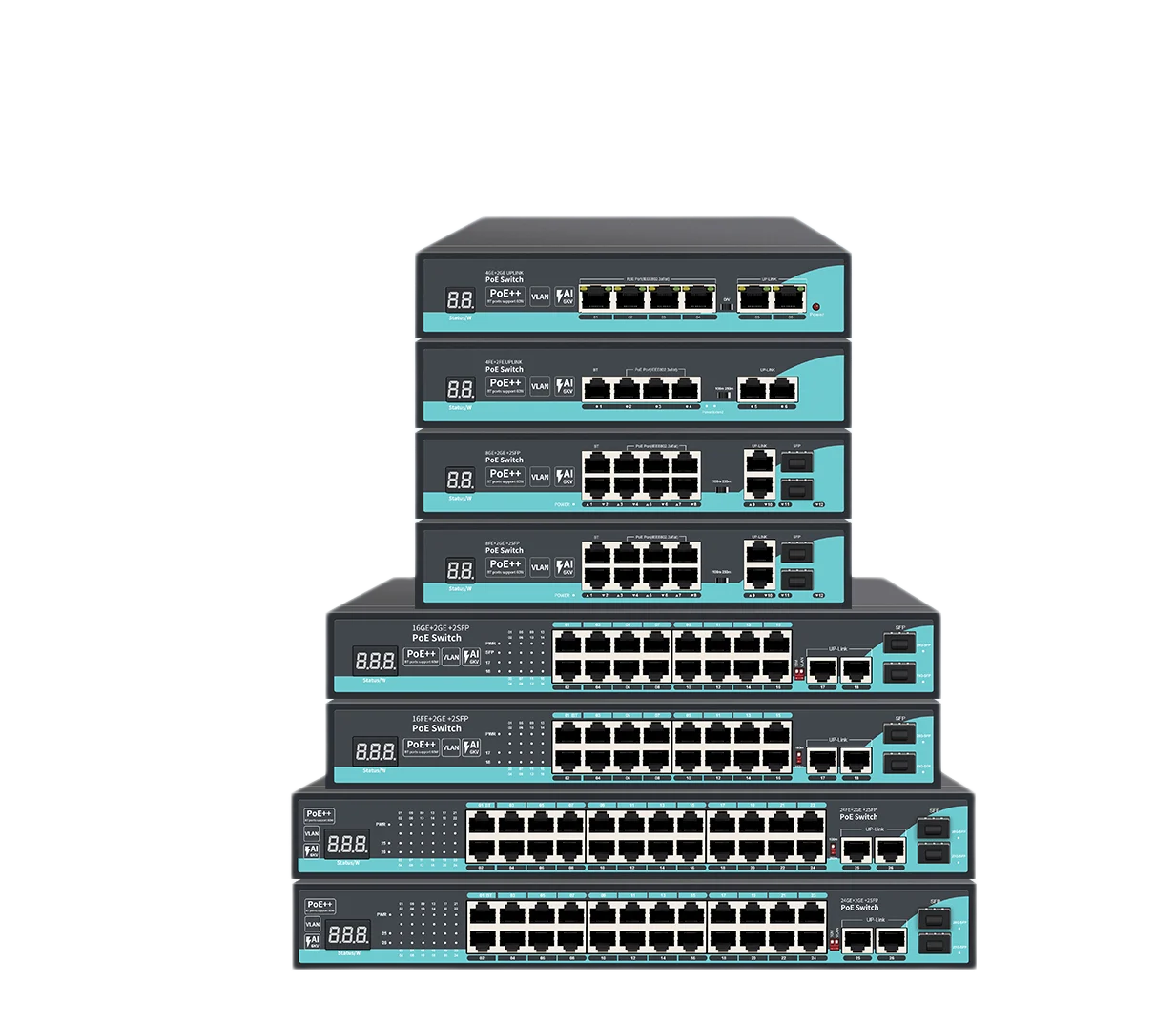
What is a PoE Network Switch?
What is a PoE Network Switch?
The key difference between a PoE Network Switch and a standard switch lies in its PoE (Power over Ethernet) capability: a regular switch only transmits data via Ethernet cables, while a PoE switch delivers both data and power simultaneously through the same cable.
This allows you to eliminate cumbersome extra wiring, streamlining cabling for home/small business surveillance, smart office systems, and industrial IoT deployments. It significantly cuts down installation costs and reduces cable clutter.
As a leading provider of PoE solutions, Wanglink offers a comprehensive product range including PoE switches, PoE media converters, reverse PoE devices, and non-standard PoE equipment. Now, you can power all low-voltage DC devices—such as wireless APs, surveillance cameras, smart wall sockets, and video doorbells—via a single Ethernet cable with our PoE devices.
Click here to browse Wanglink’s full range of PoE Network Switches
Managed Network Switch: Definition & Why You Need It
Managed Network Switch: Definition & Why You Need It
A managed network switch is an advanced networking device that allows you to configure, monitor, and optimize network traffic through a web interface, CLI (Command-Line Interface), or SNMP (Simple Network Management Protocol). Unlike unmanaged switches (plug-and-play with no customization), managed switches give you full control over your LAN.
Why Do You Need a Managed Network Switch?
- Prioritize Critical Traffic (QoS)Assign bandwidth priority to time-sensitive data (e.g., 4K surveillance streams, VoIP calls, industrial PLC communications) to avoid lag or packet loss—ideal for small businesses, smart homes with multiple devices, or industrial IoT setups.
- Enhance Network Security (VLAN)Create Virtual Local Area Networks (VLANs) to segment your network (e.g., separate office computers from IP cameras or guest Wi-Fi APs). This prevents unauthorized access and limits data breaches.
- Monitor & Troubleshoot EasilyTrack port usage, bandwidth consumption, and device connectivity in real time. Identify network bottlenecks or faulty devices quickly without manual checks—saves time for IT teams or tech-savvy users.
- Boost Network Reliability (Link Aggregation)Combine multiple ports into a single high-bandwidth link (e.g., 2×1Gbps ports = 2Gbps) to increase data transfer speeds and provide redundancy—critical for NAS storage, file servers, or industrial automation systems.
- Scale Your Network FlexiblySupport advanced features like IGMP Snooping (optimizes multicast traffic for IP cameras) and port mirroring (for network analysis). Adapt to growing device counts without replacing hardware.
Who Doesn’t Need It?
If you only need to connect 3–5 basic devices (e.g., laptops, smart TVs) for web browsing and streaming, an unmanaged switch is cheaper and sufficient.
What is network smart switch ? and the difference with Managed Network Switch?
What is network smart switch ? and the difference with Managed Network Switch?
A network smart switch & smart network switch (also called web-managed/Easy managed switch) is a cost-effective mid-tier option between unmanaged switches and fully managed switches. It balances ease of use and basic customization, while a fully managed switch offers enterprise-grade advanced features for complex network control.
Practical Application Scenarios
Choose a fully managed switch if:You operate a large factory with hundreds of industrial controllers, a data center with high-bandwidth server connections, or a network requiring 24/7 stability and redundant failover mechanisms.
Choose a smart switch if:You need to prioritize surveillance camera streams or VoIP calls in a small office, or segment home networks (e.g., separate smart home devices from personal computers)—without the complexity of a fully managed switch.
Differences of network smart switch and Managed Network Switch
Our Comprehensive Product Series
Wanglink is a direct manufacturer supporting retail, wholesale, OEM, ODM and JDM customization services. We offer a full lineup of products covering mainstream fiber optic and Ethernet communication infrastructure devices.
From basic 5-port unmanaged regular switches to high-performance Layer 2 managed 48-port PoE industrial switches, we can always provide customized solutions that perfectly match your actual needs.
Filter to find the perfect network switch tailored to your needs-browse by switch management style, port-speed PoE capabilities and more
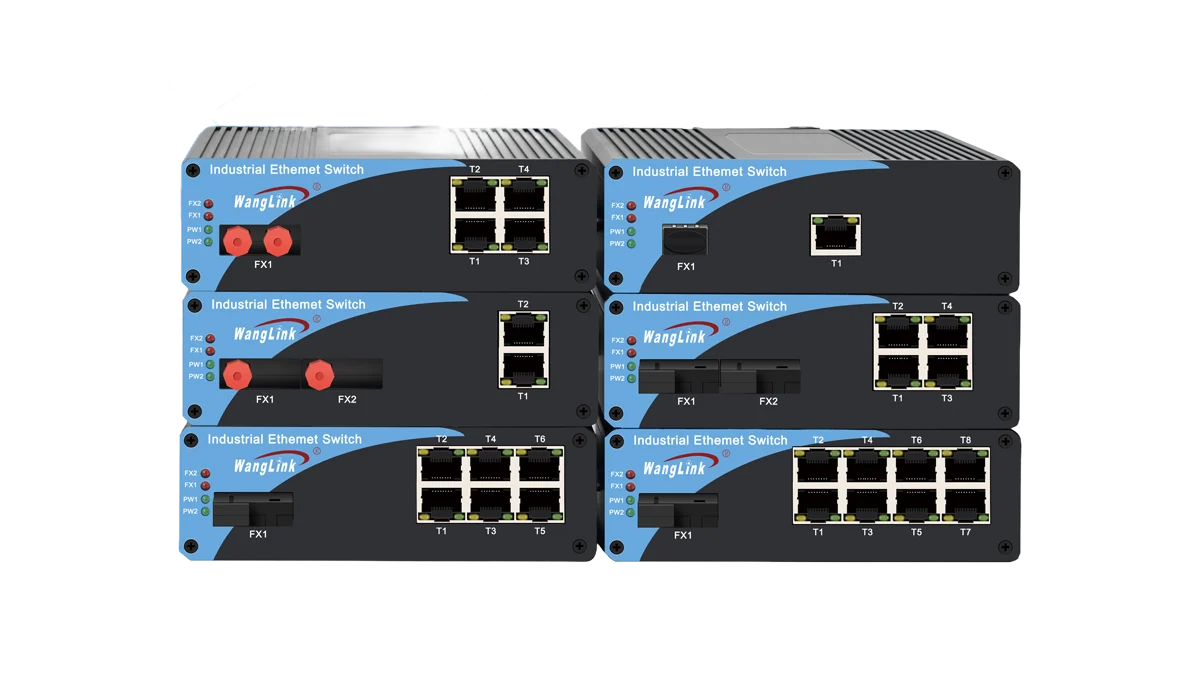
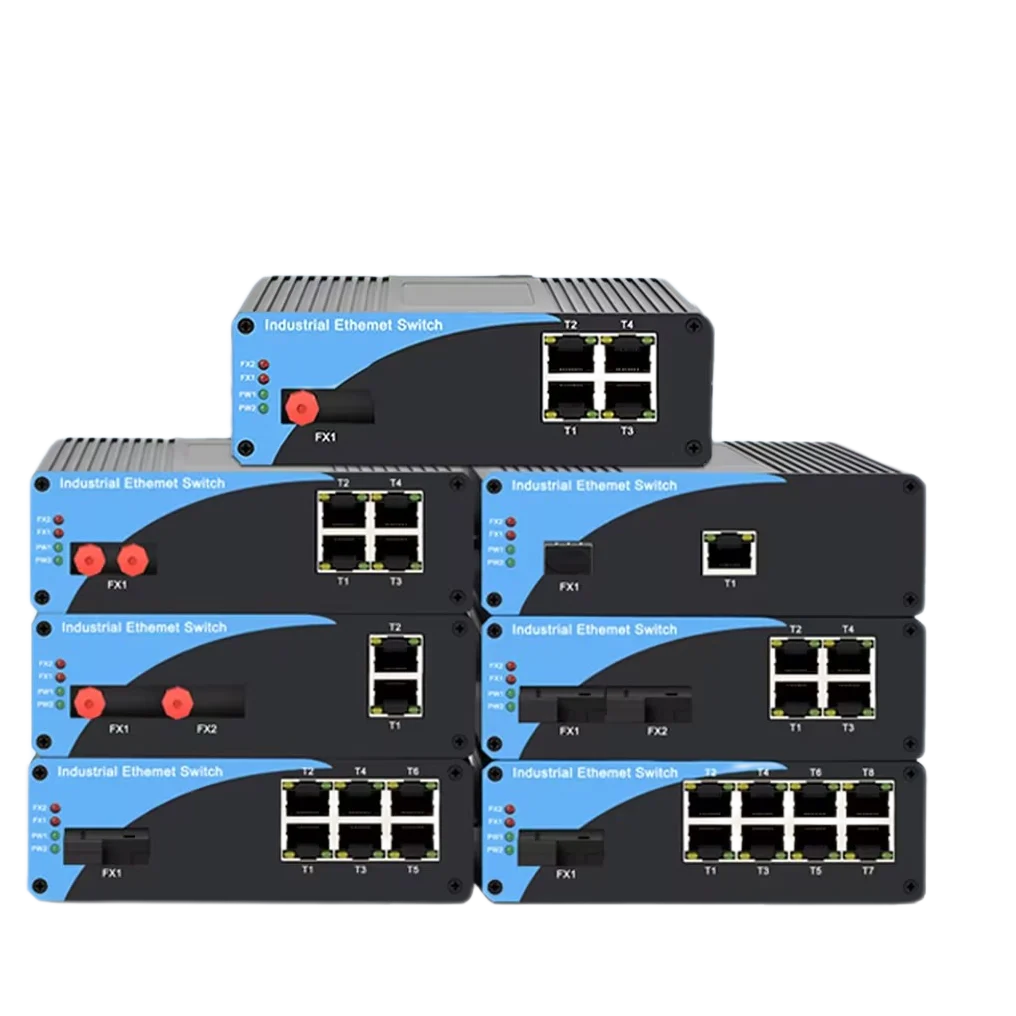
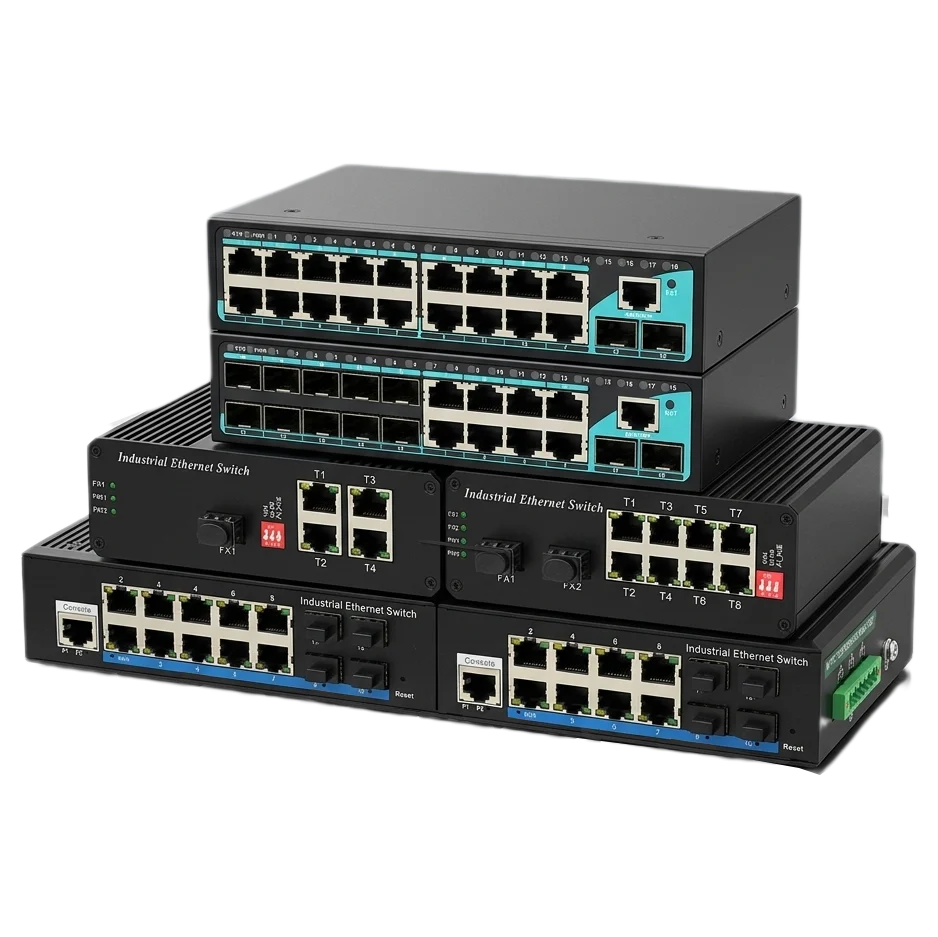
Quickly find the most suitable network devices for industrial networks. More stable and reliable, ideal for various harsh operating environments and temperature ranges.
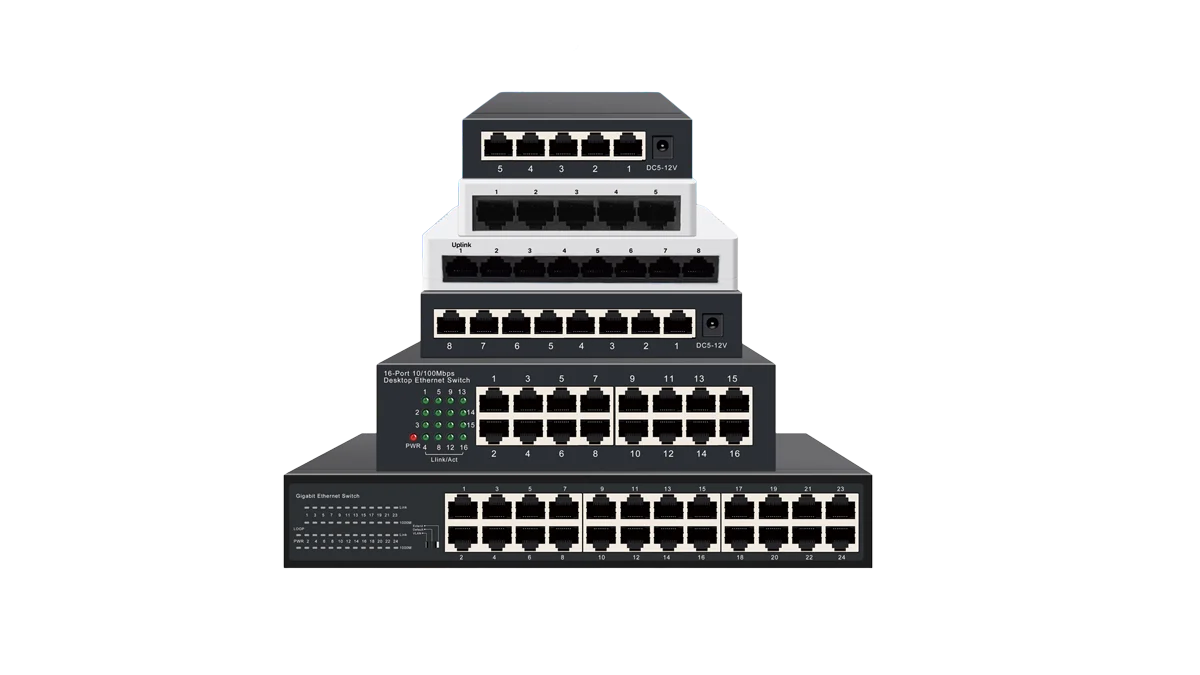
Ethernet Switches
(Plug and Play/Easy managed/Managed L2 Ethernet switch)
Explore our range of Ethernet switches including gigabit and unmanaged models, available in 5-port, 8-port, and 16-port configurations. Find the best managed or mini switch for your networking needs.
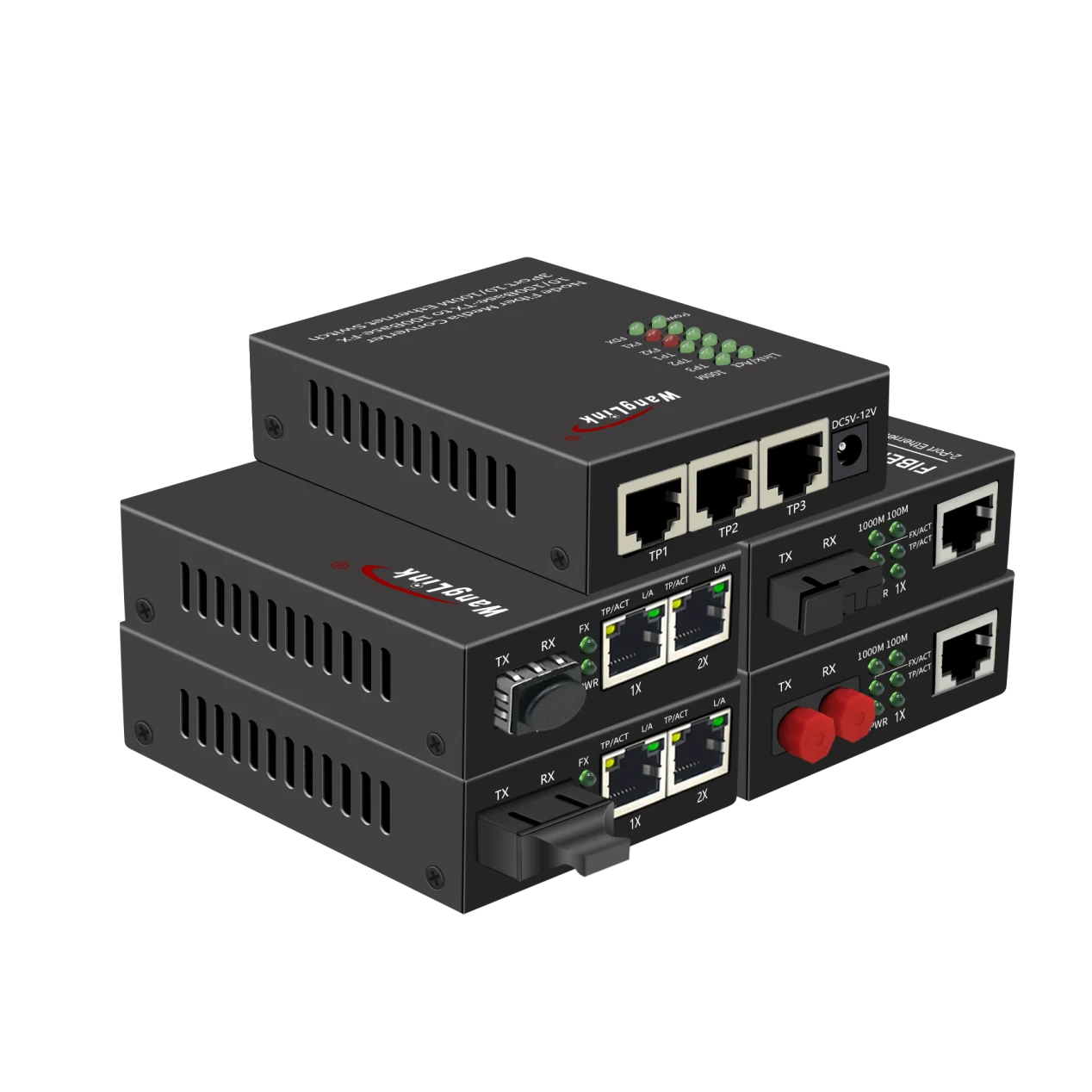
Fiber Media Converters
(General/ PoE/Reverse PoE/Gigabit /2.5Gbps media converter)
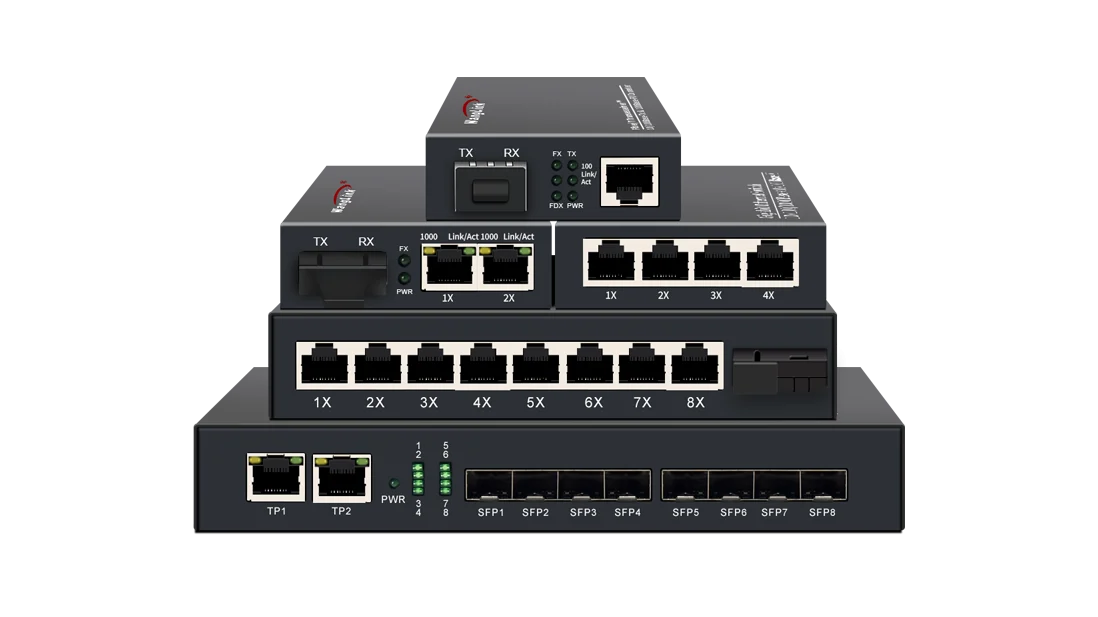
Professional media converters enable seamless copper to fiber and fiber to ethernet conversion. Our selection includes gigabit single mode, SFP transceiver options with PoE capability, plus trusted fiber optic solutions for reliable network infrastructure.
Accessories
(SFP Modules / PoE Injectors/ PoE splitter)
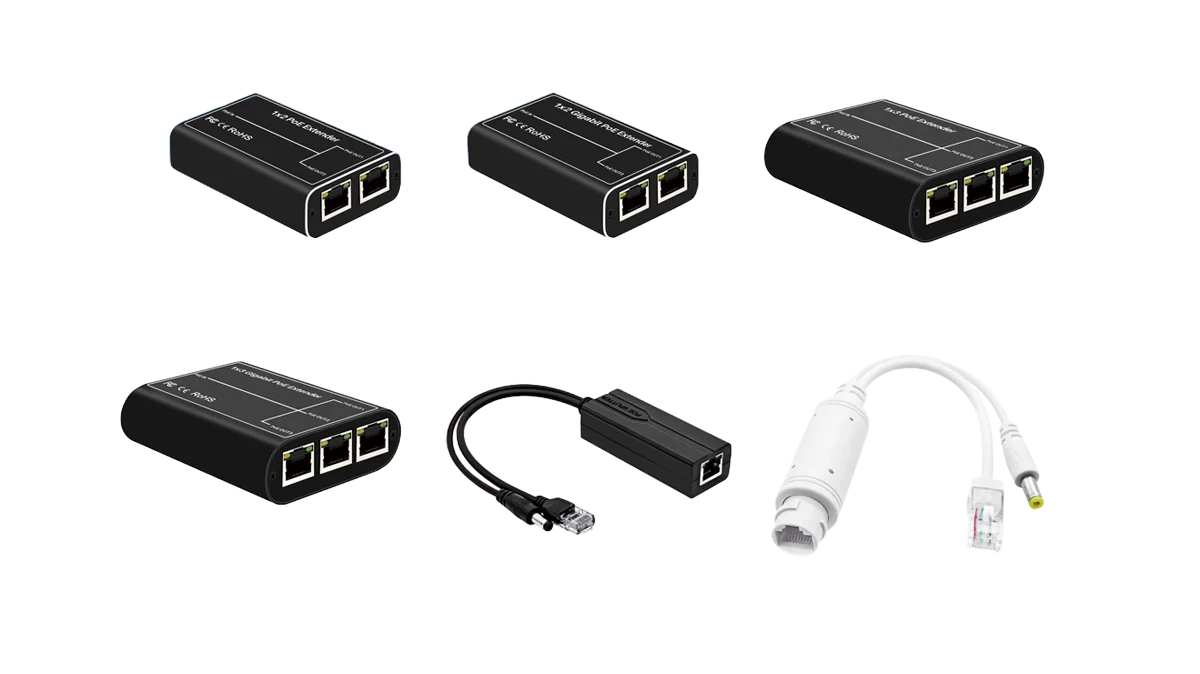
High-quality, reliable accessories commonly used in various network communication projects and security/surveillance engineering, including PoE splitters, injectors, and testers.
Wanglink Featured Innovations
Featured Innovations
& New Arrivals
Explore our latest released product, these products are typically hottest-selling, state-of-the-art items, or highly-specialized products with unique functionalities for targeted applications. They can empower you to penetrate emerging markets effectively!
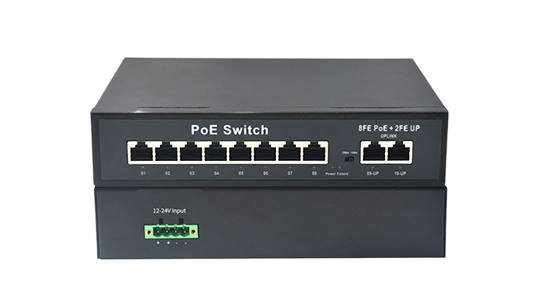
poe switch 8 port Vlan AI support with Phoenix connector power input.
This is a Fast Ethernet PoE Switch with 8 Port PoE(IEEE802.3 af/at) and 2 FE Uplink, It adopts a phoenix terminal power input interface, making it highly suitable for various environments where wiring is difficult. It can be powered by solar panels and will supply power and perform data exchange via network cables for all kinds of network – required devices.
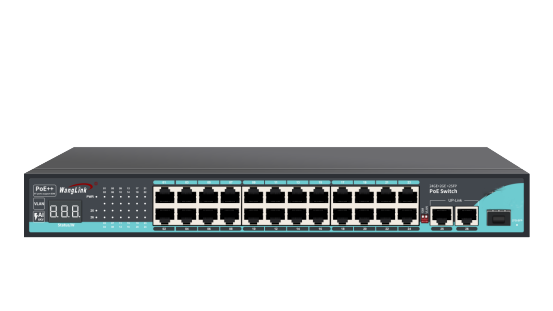
24-Port PoE Switch Vlan AI support
with Digital Display
This is a ethernet switch 24 ports poe(1 port support PoE++, IEEE802.3 af/at/bt) By adding a digital display for power consumption to the PoE switch, customers can accurately and intuitively see the current power load of the connected devices.
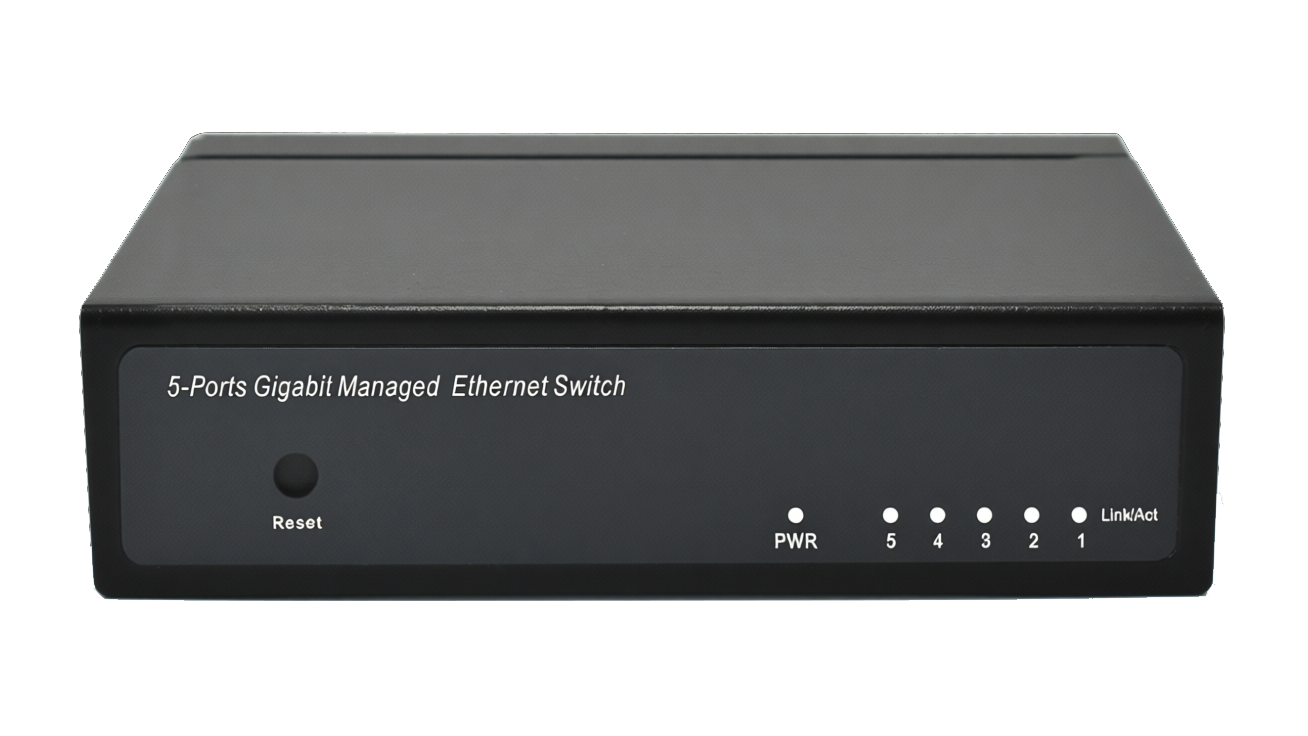
Ethernet Switch 5 Port with Easy/Smart/Web managed function
Full Gigabit Ethernet switch with 5 ports and easy management features (basic network configuration can be done quickly via a web interface). It’s ideal for entry-level users, allowing you to easily adjust your network architecture without needing complex switch configuration knowledge.
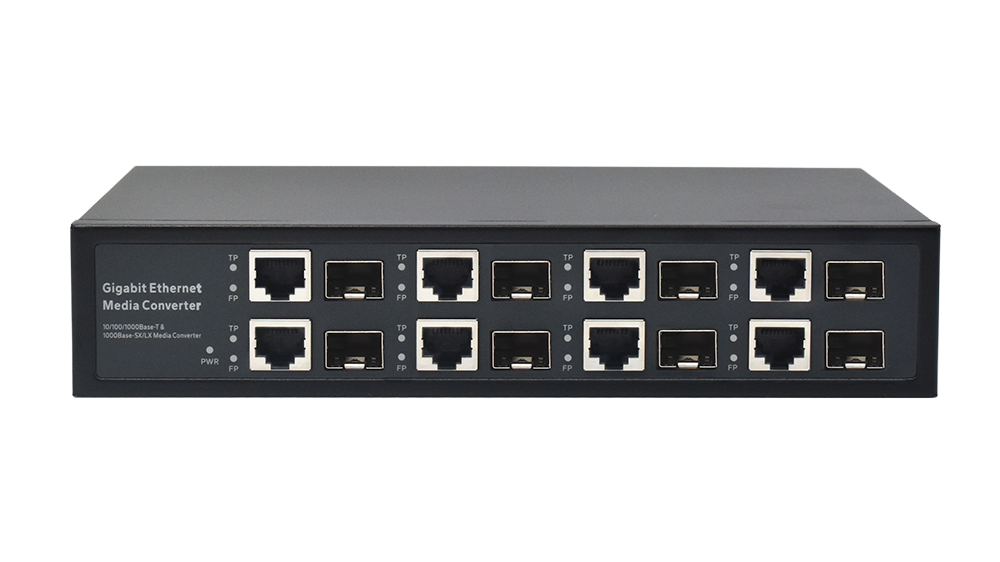
Gigabit 8-port Media Converter
physically isolated.
This media converter fiber-to-Ethernet switch ensures complete physical isolation between all fiber optic and Ethernet ports. It is ideal for situations requiring highly isolated networks, such as simultaneously building internal and public information networks. It’s also suitable for scenarios where fiber optic resources are limited but many independent Ethernet connections are needed, and for expanding DSLAM bandwidth without altering existing fiber optic infrastructure.
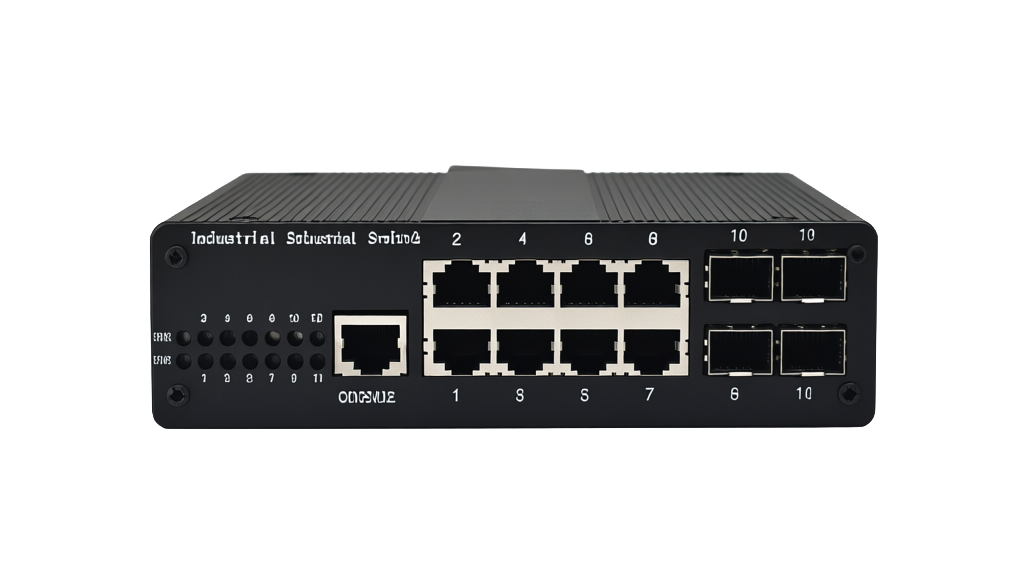
L2 managed 8 Port PoE Switch
This L2+ PoE switch is designed and manufactured in compliance with industrial-grade standards and supports cloud management functions. It is suitable for harsh industrial operating environments and can operate stably, continuously and long-term at temperatures ranging from -45°C to 85°C.
Advanced Enterprise / Home Network
Security Surveillance Solutions
As a leading manufacturer of communication equipment, Wanglink has accumulated extensive experience through years of development. Our products, especially PoE Switches, Standard Network Switches, and Industrial Switches, are widely applied in various scenarios including ISP deployments, enterprise office networks, home networks, and industrial automation systems.
Smart City & CCTV Surveillance
Industrial Automation & IoT
ISP & FTTx Solutions
Campus High Speed Network Solution
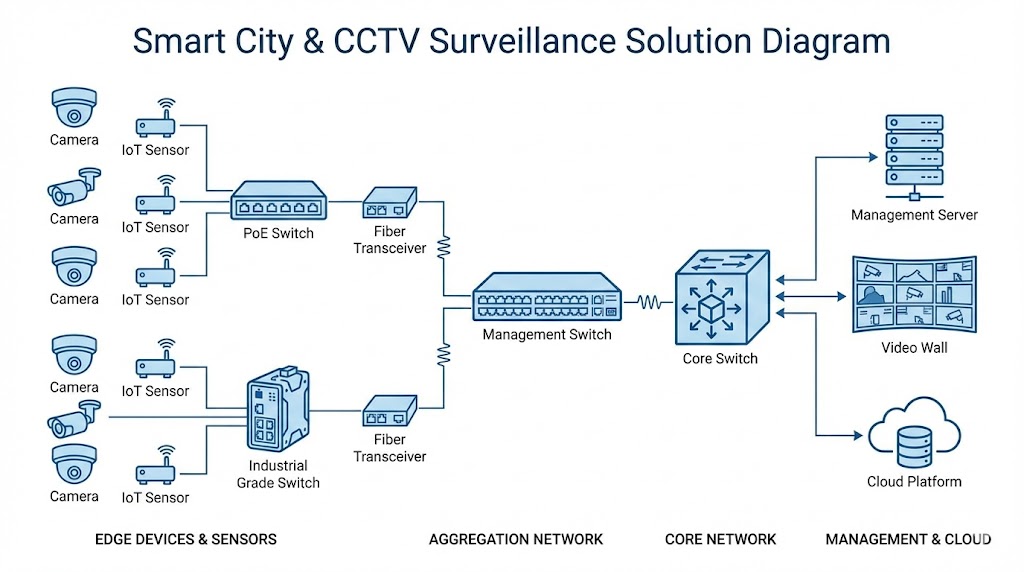
This solution leverages Wanglink PoE switches to tackle the pain points of cumbersome power supply and complicated wiring, while adopting industrial-grade switches to cope with harsh on-site conditions and long-distance transmission needs. It further builds a highly reliable, easy-to-maintain smart city security transmission infrastructure that supports 24/7 stable operation.
Applicable Scenarios
HD surveillance on urban arterial roads, smart communities and industrial parks, transportation hubs (such as railway stations and airports), remote environmental monitoring of ecological reserves, and perimeter security of industrial zones.
Wanglink network devices have been deployed in over 200 smart city projects nationwide. Contact us now for customized optimal solutions tailored to your project demands.
Core Application Details
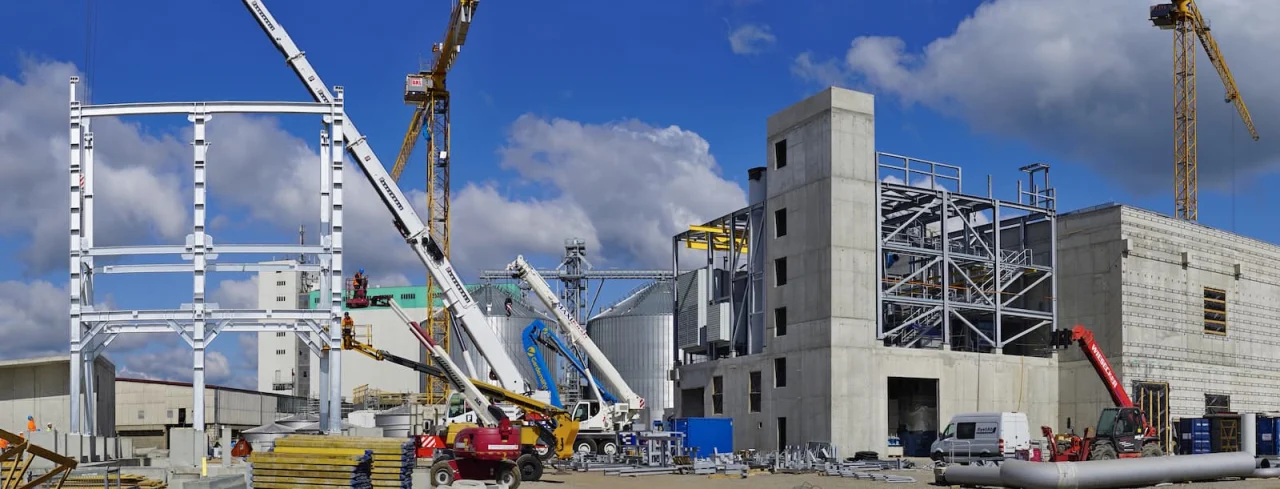
All video data from each monitoring point converges in roadside cabinets—where working conditions are tough, including extreme heat in summer, severe cold in winter, vehicle-induced vibrations, and electromagnetic interference. To address these challenges, we adopt Wanglink industrial-grade switches, which are engineered with IP40 protection rating and a wide operating temperature range of -40℃~75℃ for industrial environments.
Multiple HD cameras (for panoramic monitoring, snapshot forensics, and license plate recognition) are installed on surveillance poles at intersections. Wanglink PoE switches enable integrated power supply and signal transmission, eliminating the need for additional power cables. Each PoE port delivers up to 30W power, ensuring stable 24-hour operation of HD cameras and significantly streamlining on-site deployment.
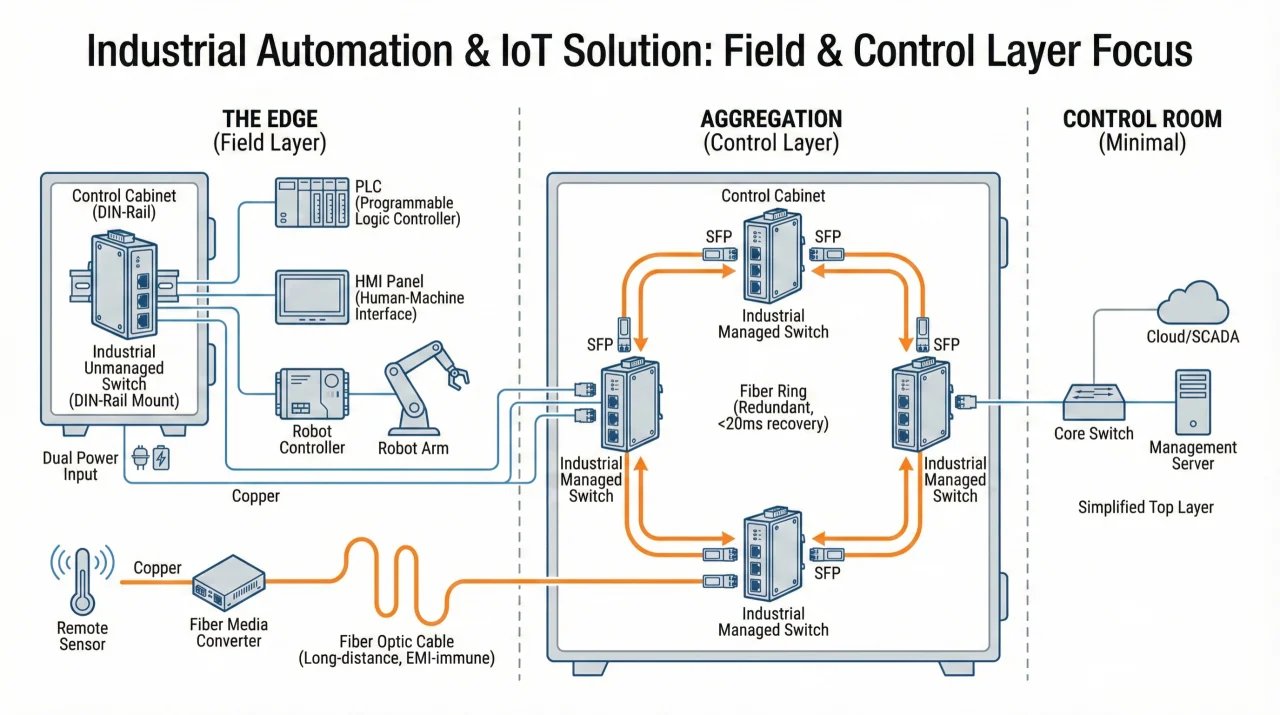
In the vast production areas of modern automated factories, production equipment is scattered across assembly lines, CNC machining areas, and high-bay warehouses. Building a network solution (such as monitoring and office networks) between these devices faces several challenges: electromagnetic interference from heavy-duty motors, continuous mechanical vibration, and high/low temperatures (temperatures in some non-air-conditioned workshops often exceed 55°C).
This solution will utilize Wanglink industrial-grade switches and fiber optic media converters to build a robust and durable “industrial-grade capillary network,” completely covering every corner of the factory and providing stable network connectivity to even the most remote terminal devices.
1、Edge Access Layer:
Products Used: Wanglink DIN rail-mounted industrial unmanaged switches and fiber optic media converters
Application Scenarios:
Interconnection of Robotic Arms and Programmable Logic Controllers (PLCs)
Wanglink industrial unmanaged switches are directly installed on DIN rails in ultra-thin wall-mounted control cabinets, serving as the core connection hub for programmable logic controllers (PLCs), human-machine interface (HMI) panels, and robotic arm controllers.
Advantages:
Wanglink Industrial switch features a DIN rail mounting design and can be easily and securely installed in control cabinets, with no worry about mechanical vibrations from surrounding equipment; and the dual power input redundancy design provides double protection for stable connectivity, ensuring that the network remains operational even if one power supply fails, avoiding production downtime losses caused by single-point power failures.
2、Aggregation Control Layer:
Data generated by each production unit – whether from robotic arm workstations, CNC machine tools, or quality inspection cameras – needs to be aggregated and securely transmitted in real-time, seamlessly, and without delay to the factory’s data acquisition and monitoring system (SCADA).
Products Used: Wanglink Industrial Managed Switches with SFP Fiber Ports
Application Scenarios:
High-Reliability Fiber Optic Ring Network Construction
Using the SFP fiber ports of Wanglink industrial managed switches (with ring network functionality), switches in different workshops are interconnected to build a redundant ring network topology.
Advantage: If a fiber optic cable is accidentally damaged – for example, by a forklift during material handling or construction – the built-in Ethernet Ring Protection Switching (ERPS) protocol can automatically switch the data transmission path within 20 milliseconds, almost imperceptibly. This ensures zero data loss, and the assembly line can continue to operate without interruption.
Advantage:
I. Outdoor Access Layer
Product: Industrial-grade PoE Switch (Protection Class IP40, Operating Temperature: -40℃ to 75℃)
Core Scenarios:
- Smart city video surveillance and Wi-Fi coverage, deployed in outdoor cabinets/municipal poles to simultaneously supply power and transmit data for PTZ dome cameras and Wi-Fi 6 access points;
- Wired backhaul for 5G small cells in dense urban areas.
Core Value: PoE++ technology provides up to 90W of power per port, eliminating the cost of separate wiring; wide temperature range and IP40 protection adapt to extreme climates without the need for expensive temperature-controlled cabinets, reducing outdoor installation costs by over 50% and significantly minimizing environment-induced equipment failures and maintenance work orders.
II. Long Distance Transimission
Product: Fiber Media Converter (Ethernet Electrical-to-Optical Signal Conversion Device)
Core Scenarios:
- Seamless integration of legacy copper cable devices (industrial control computers, old POS terminals, etc.) into fiber backbone networks;
- Long-distance interconnection between buildings in industrial parks, campuses, etc.
Core Value: No hardware replacement required, protecting prior investments; single-mode fiber extends transmission distance from 100-meter level to over 20 kilometers, eliminating the need for relay equipment and enabling full-bandwidth, low-latency transmission.
III. Aggregation Control Layer
Product: Layer 3 Managed Aggregation Switch + SFP+/QSFP Optical Modules
Core Scenarios:
- Construction of 10G SFP+ single-mode fiber ring networks at community/district nodes;
- Traffic aggregation of access layers and QoS policy management.
Core Value: ERPS protocol enables 20 ms faulty link switching, imperceptible to users, improving SLA achievement rate and reducing fault complaint work orders by over 90%; VLAN isolation and QoS priority prevent congestion and guarantee bandwidth for critical services.
IV. Flexible Interface Layer
Core Product: Hot-Swappable Optical Modules (SFP/SFP+/QSFP28 Series)
Core Scenarios:
- Modular smooth bandwidth upgrade (1G→10G→100G);
- Optical module selection based on transmission distance (intra-building, campus, inter-city long-distance).
Core Value: A single switch chassis supports multi-generation module upgrades, with a service life of over 10 years, reducing total lifecycle capital expenditure by over 60%; standardized equipment and customized modules simplify inventory and operation & maintenance.
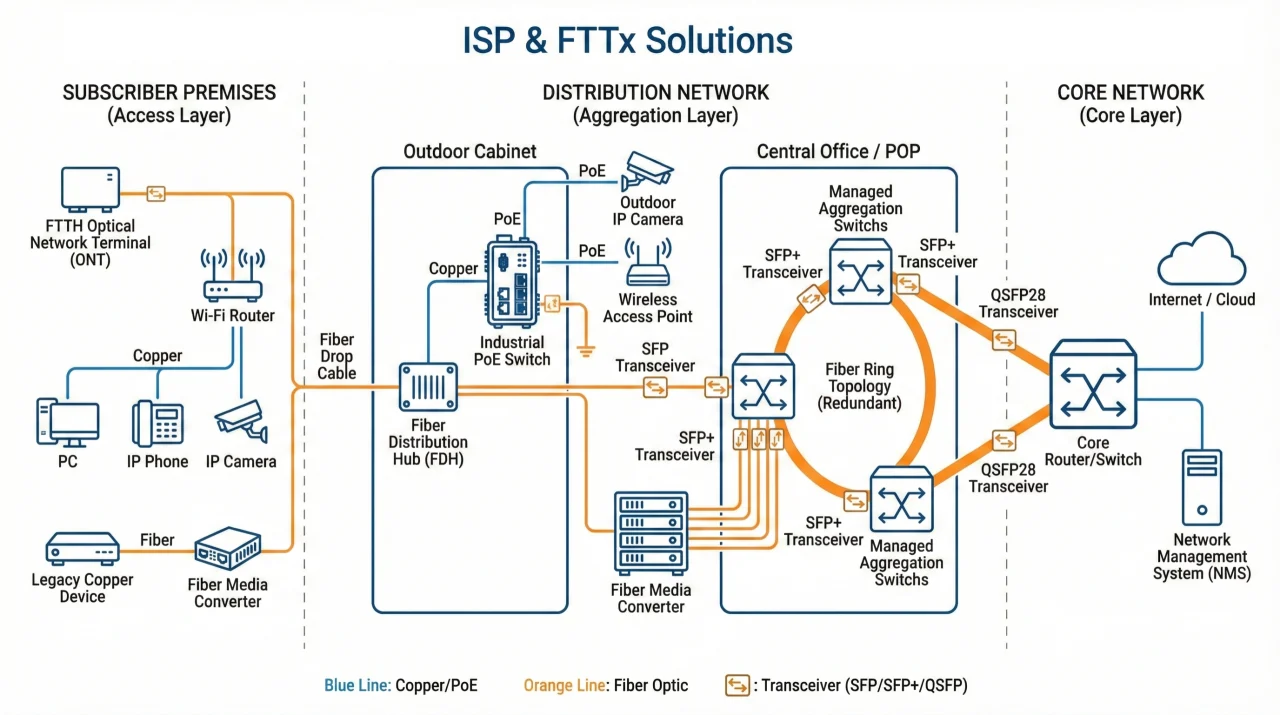
This solution leverages the combined deployment of industrial-grade PoE switches, fiber media converters, and optical transceiver modules to deliver a network architecture that balances resilience with cost efficiency.
In the current phase of comprehensive broadband infrastructure upgrades and accelerated smart city construction initiatives, ISPs and network operators are confronted with a fundamental challenge: how to architect a foundational network infrastructure capable of adapting to complex outdoor environments, maintaining compatibility with existing legacy systems, and simultaneously guaranteeing business continuity with zero service interruption.
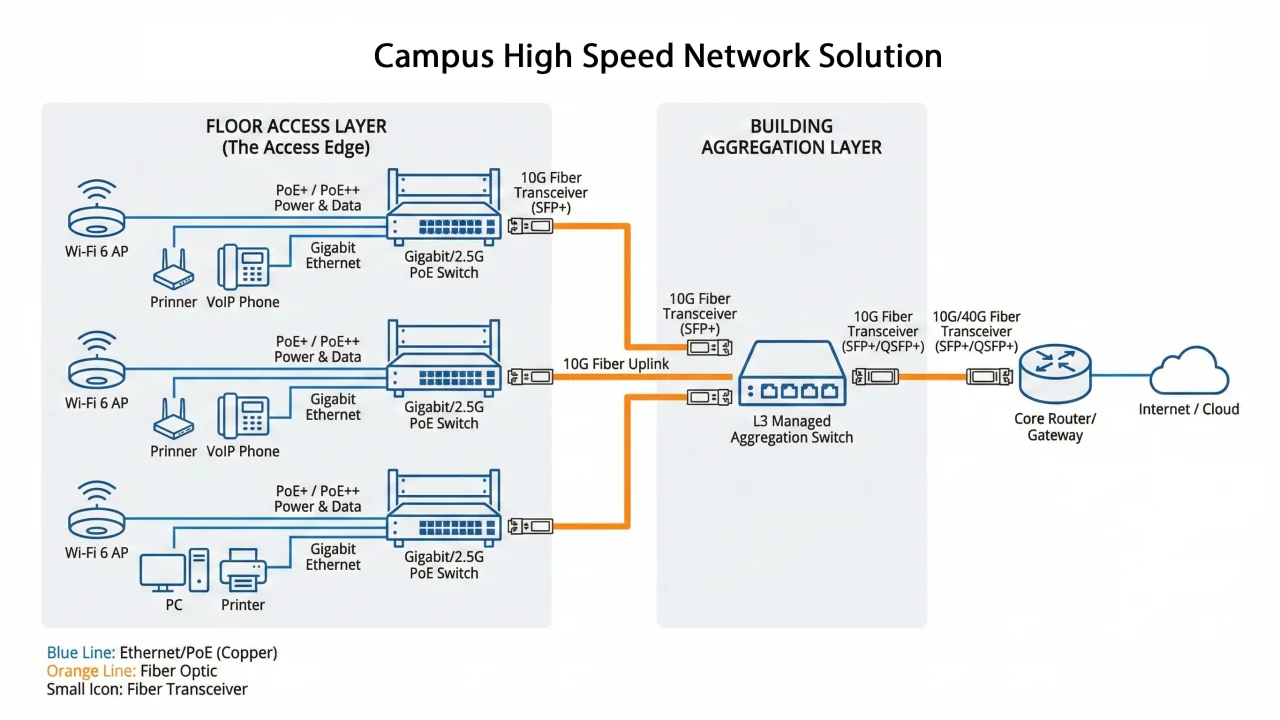
In modern enterprise campuses, full wireless Wi-Fi coverage, high-definition video conferencing, and desktop cloud office have become standard configurations. Traditional wiring methods can hardly meet the demands for high bandwidth and flexible access. This solution demonstrates how to build a high-speed and neat office network using PoE switches and 10G fiber transceivers.
1. Access Edge: Solving the Connection Between “Desktops and Ceilings”
On each floor of the office building, a dense array of desktop PCs, ceiling-mounted wireless APs, and conference room devices need network access.
Applied Products: Gigabit/2.5G PoE Switches
Application Scenarios
- Wireless AP and IP Phone Access: Deploy PoE switches in the floor’s weak current rooms, and connect ceiling-mounted Wi-Fi 6 APs and desktop VoIP phones via network cables.
- Core Value: PoE+ / PoE++ power supply eliminates the difficulty of powering devices on ceilings. With a single network cable supporting up to 90W of power, it can efficiently drive high-performance Wi-Fi 6/7 APs and PTZ cameras while maintaining a clean and tidy office environment.
- PC and Printer Access: Provide high-density Gigabit electrical ports to ensure stable transmission of employees’ daily office data.
2.Aggregation Layer: Ensuring Business Operations Can Run Smoothly Under High Concurrent Loads
When we’re looking at massive data traffic converging from all floors and departments across the facility, what’s required is high-speed switching capability that gets handled through the aggregation nodes deployed at this level.
Applied Products: L3 Managed Aggregation Switches & 10G/40G SFP+/QSFP+ Transceivers
Application Scenarios:
Fiber Uplink
Leverage the SFP+ interface ports available on access layer switches, paired with 10G optical transceivers, to establish uplink connections via optical fibers to the aggregation switches deployed at the building or campus level.
Core Value: Break through the bandwidth bottleneck constraints encountered in practice. With the ongoing popularization of Wi-Fi 6 technology, access bandwidth demands have surged dramatically, making traditional Gigabit uplinks insufficient to handle the load. Deploying 10G fiber uplinks ensures that video conferences run smoothly and large-file transfers happen instantaneously.
Switch Stacking and Link Aggregation (LACP)
Adopt switch stacking technology or Link Aggregation Control Protocol (LACP) implementation at the aggregation layer.
Core Value: This approach virtualizes multiple physical switches into a single logical device entity, which simplifies management operations, multiplies the backbone bandwidth capacity, and provides device-level redundancy protection mechanisms.
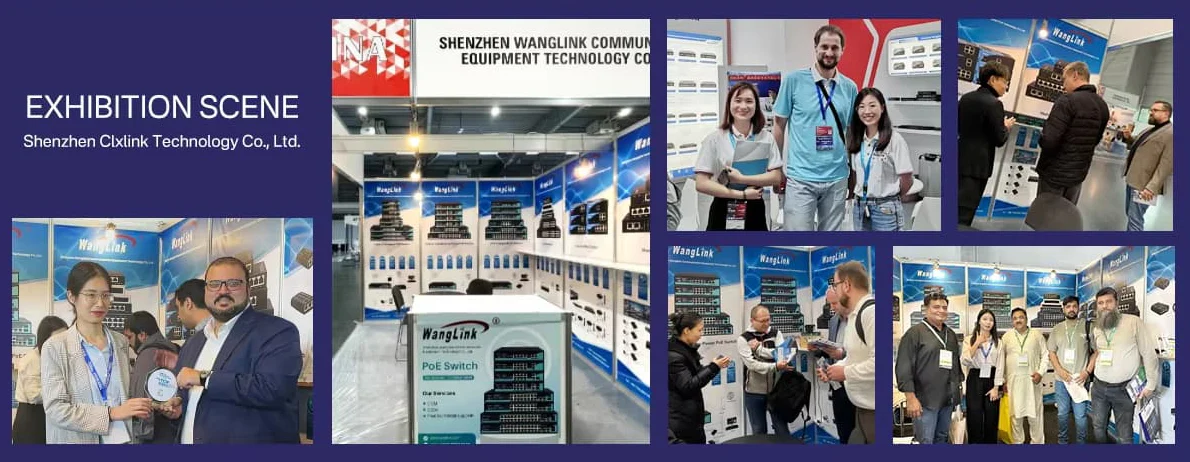
Why Partner with Wanglink?
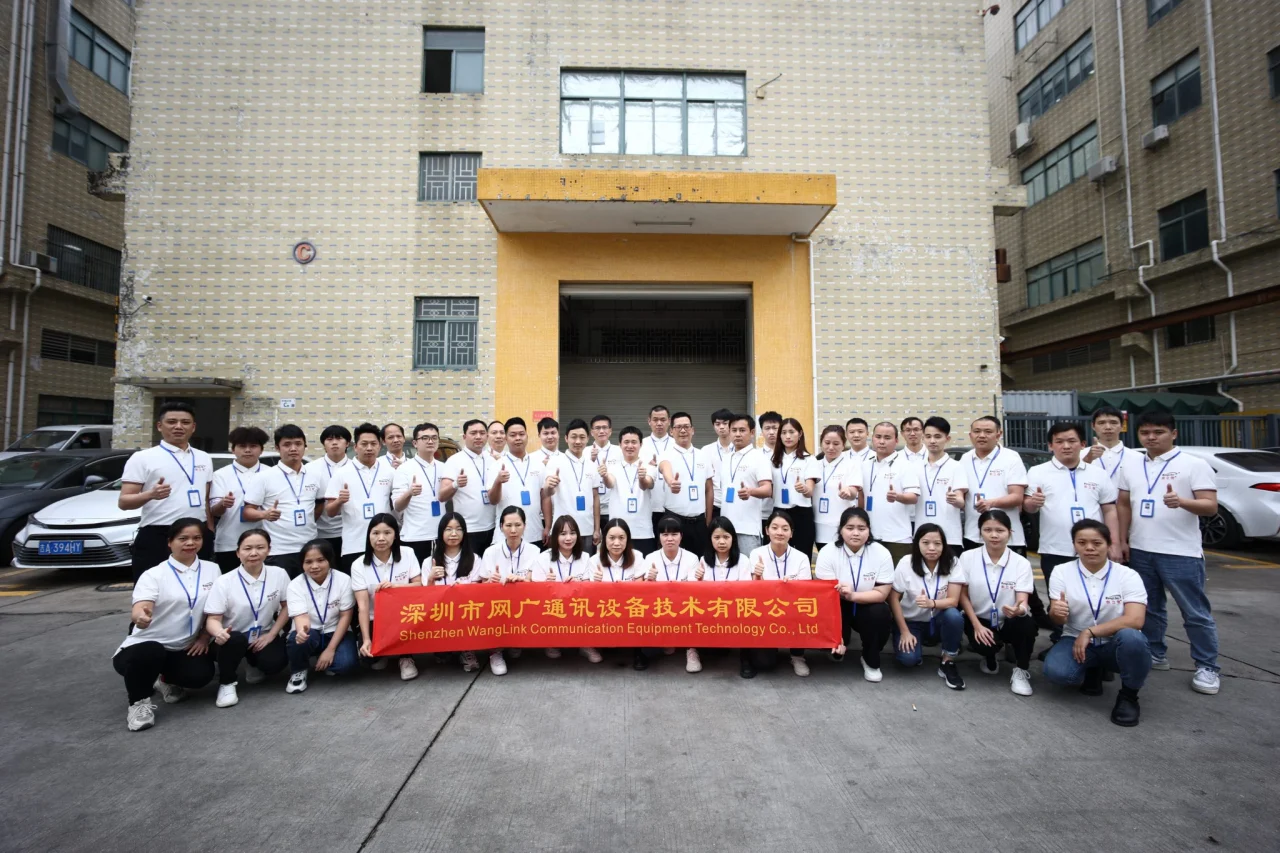
With 13 years of experience in the communication manufacturing industry, Wanglink has consistently focused on deepening its expertise and pursuing innovation. Adhering to the product design philosophy of practicality, stability and reliability and the business development strategy of customer-centricity, we now offer over a thousand products across a full range of specifications. Our solutions serve tens of thousands of customers worldwide and are being adopted by a growing number of industries and application fields.
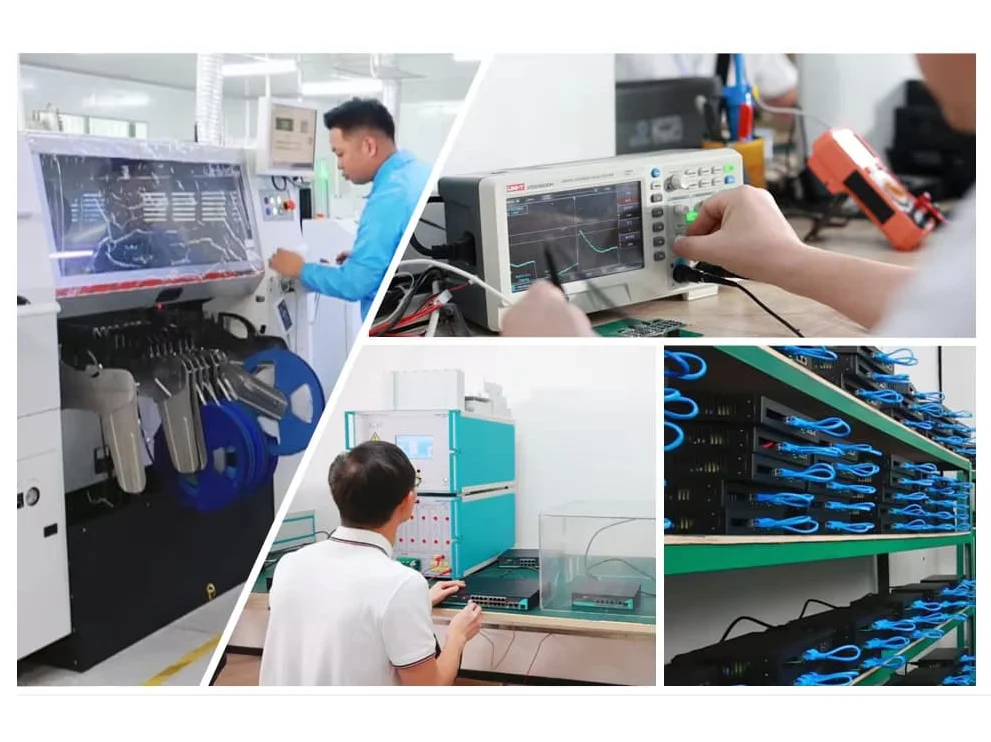
R&D
Capability
Support OEM ODM JDM,
Custom PCB Design/software
Production
Capacity
Our Own SMT LINK, Monthly output: 100,000 pcs
Quality
Control
Our Own SMT LINK, Monthly: 100,000 pcs
After-sales
Service
Quality issue: 100% responsibility
Technical
support
Lifetime free and unlimited service
Customer
Service
Urgent: 7x24h
General :09:00 – 18:00
Knowledge Hub & Company News Wanglink
-
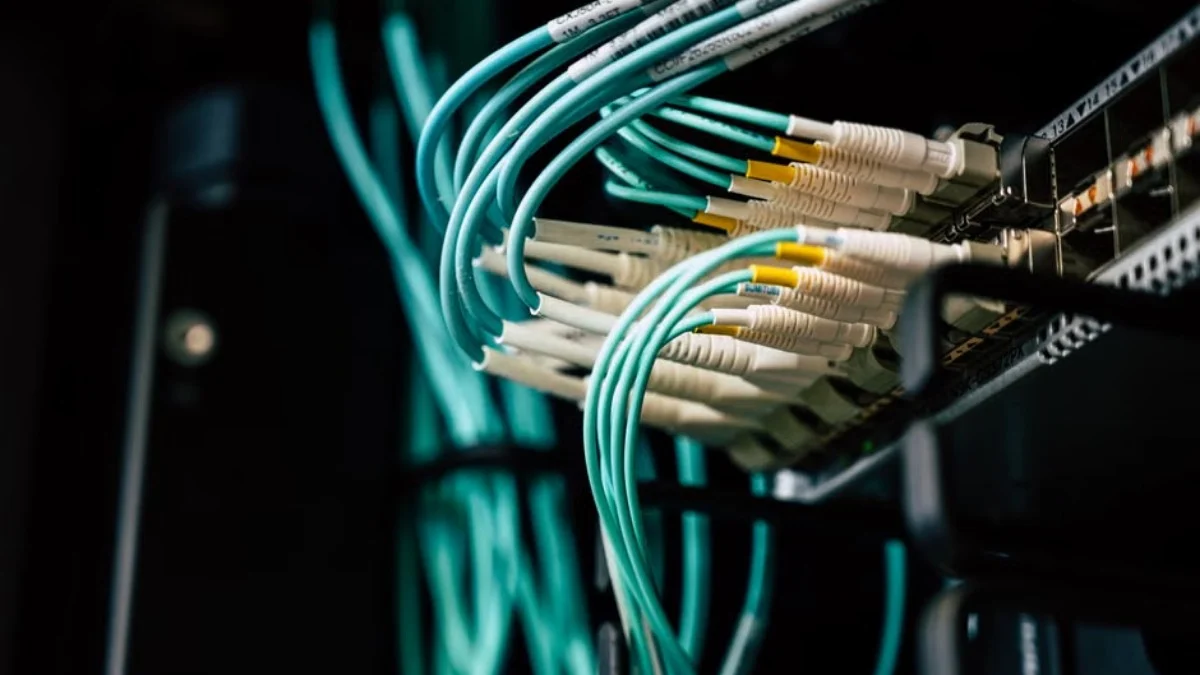
How Does a Network Switch Work? A Practical Guide
Learn how a network switch forwards Ethernet frames, builds MAC tables, supports VLANs, PoE, redundancy,…
-
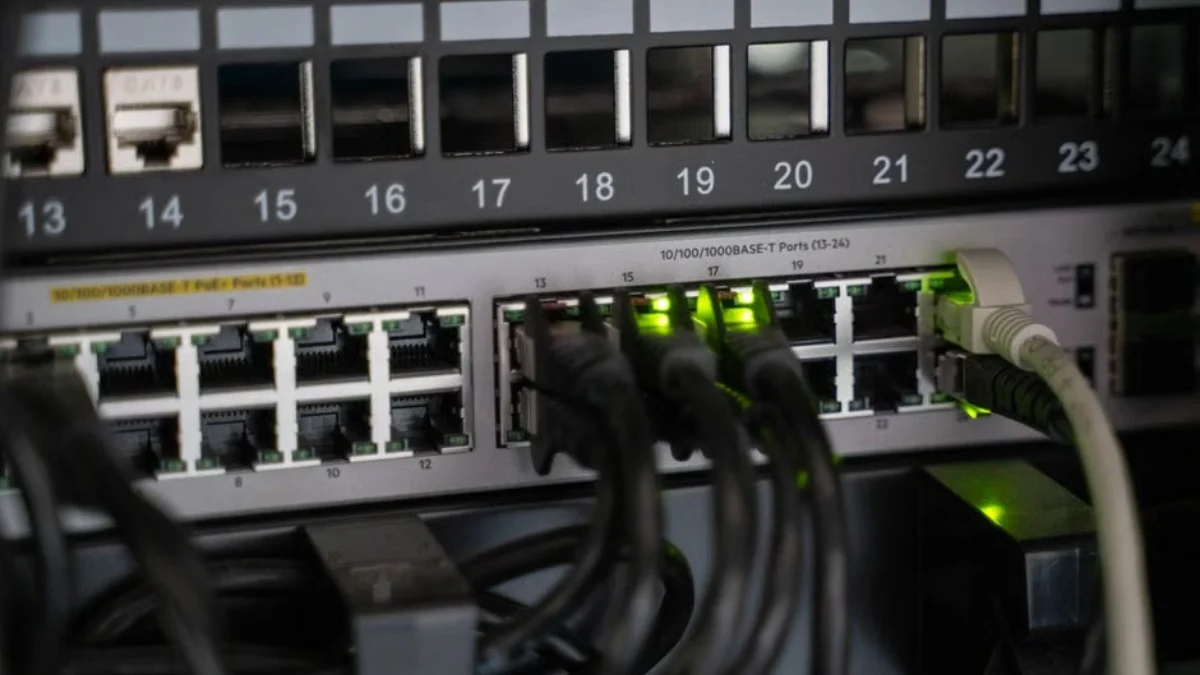
What Does a Network Switch Do? A Practical Guide
Learn what a network switch does, how it connects devices, and the differences between managed,…
-

Holiday Notice: 2026 Mid-Autumn Festival & National Day
Dear Valued Customers, Thank you for your continuous support and trust in WangLink (Shenzhen Wanglink…
-
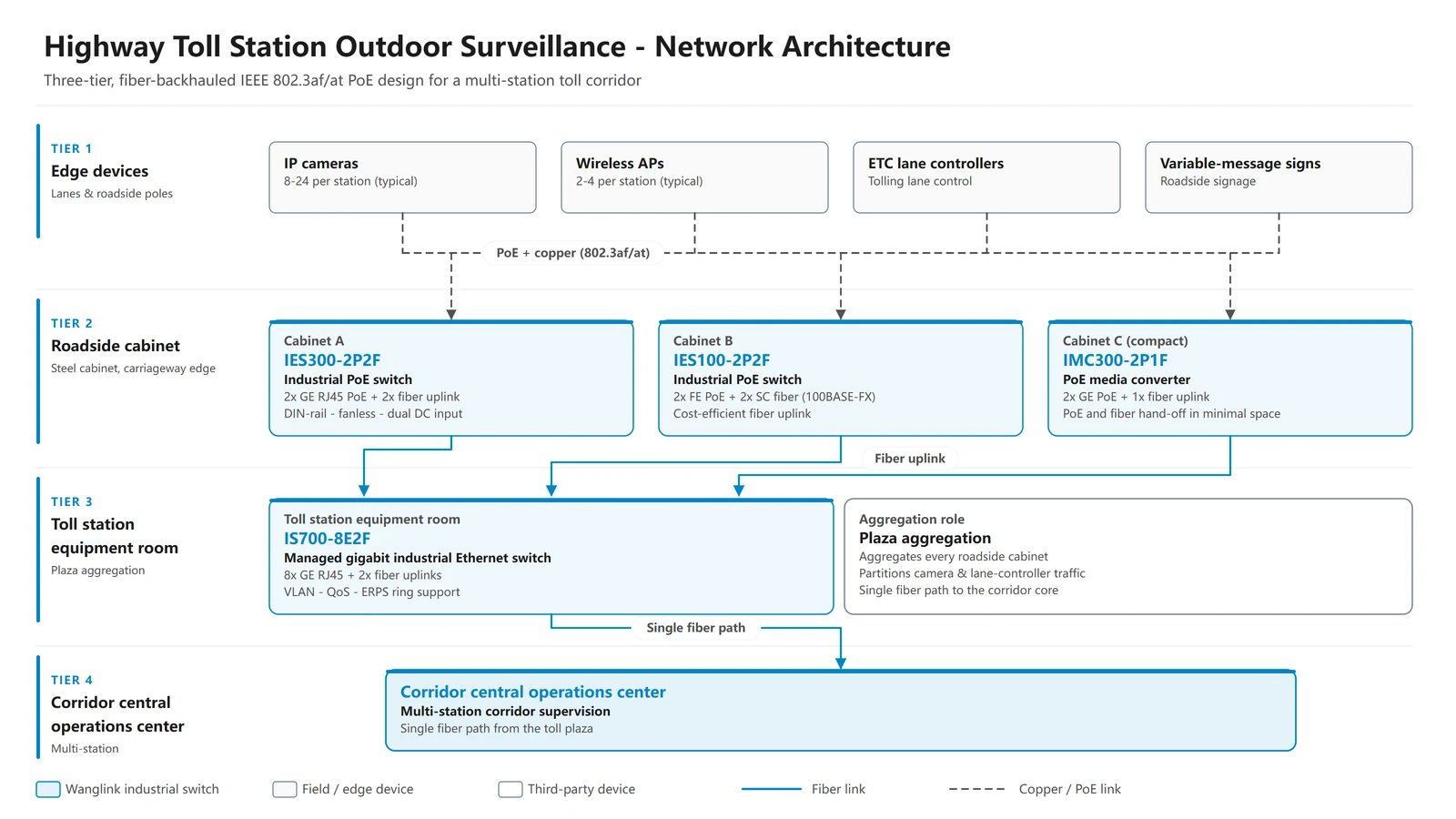
How Industrial PoE Switches Support Highway Toll-Station Surveillance
Outdoor toll-station networks place cameras and wireless equipment in roadside cabinets where heat, moisture, electrical…
-
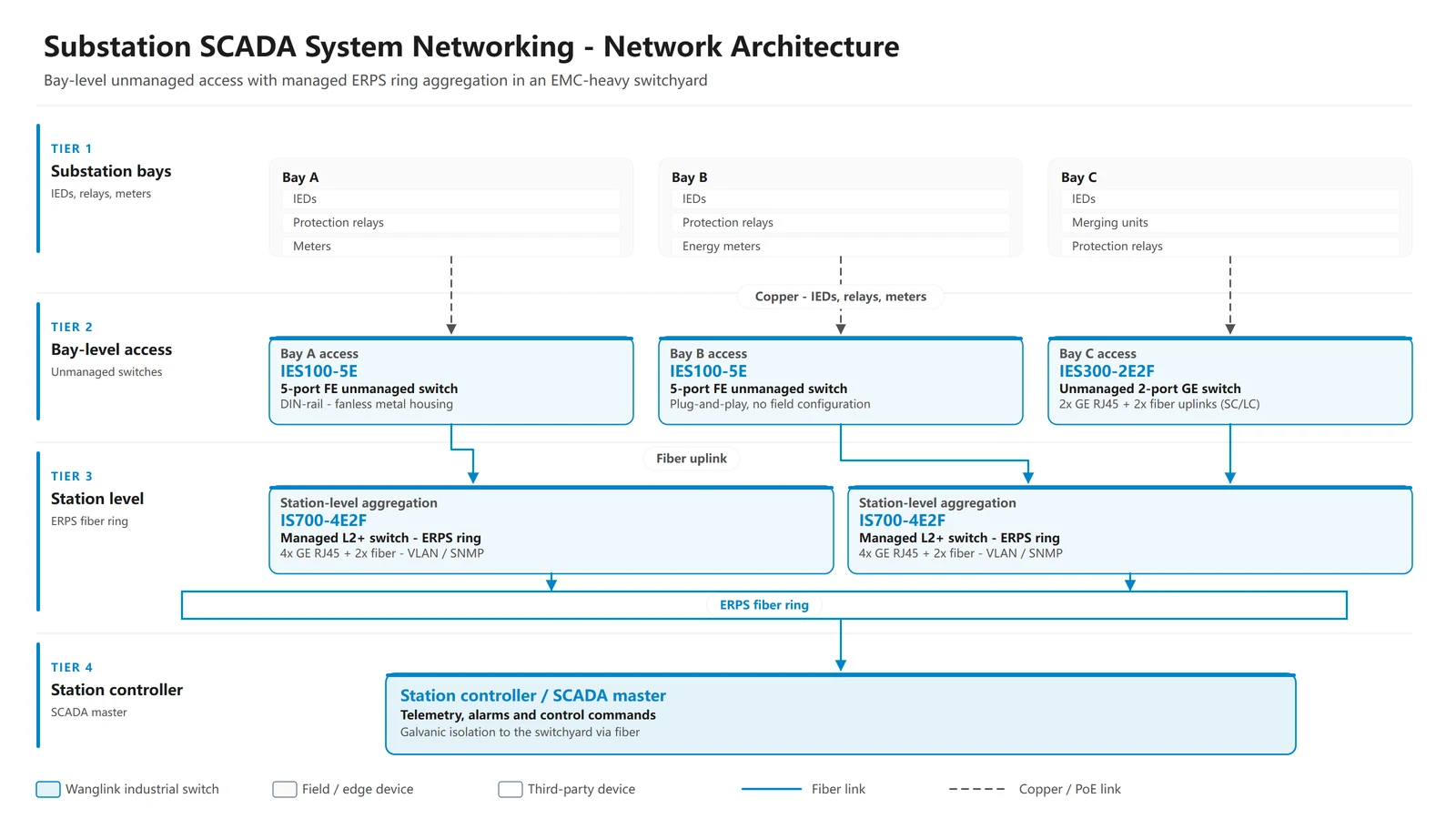
How Industrial Switches Support Substation SCADA Networking
A substation network must carry protection, measurement and control traffic through an electrically harsh environment.…
Looking to grow your business?
Wanglink Can Help.
Please reach out and we’ll be in touch with you shortly.
Factory address:
6th Floor, Building B, Chanfu Technology Innovation Building, Longgang District, SZ, China
Contact
Phone : +86 0755 89314527
Email : info@wanglink.com
The catalogue and price list will be dispatched to your registered email address shortly.
Note: The enclosed catalog and price schedule are provided solely for preliminary reference. Specifications and pricing contained herein may not reflect the latest updates and are subject to revision without prior notification, which shall not serve as binding basis for formal transactions. All materials constitute proprietary confidential information of our company and are prohibited from unauthorized distribution to third parties. Kindly reach out to our sales team to obtain up-to-date official quotations.
Professional Industrial Ethernet Switch & PoE Solution Manufacturer
Providing OEM/ODM services for global distributors. ISO9001 Certified Factory in China.
Get 2026 Wholesale Price List & OEM Catalog

OEM & ODM Factory for Industrial Ethernet/Networking Switches, PoE Switches & Media Converters
Why Choose WangLink’s
Network Switch?
All our switches are independently designed and manufactured, with a complete product range. They are all stable solutions refined through years of iteration, featuring reliable connection with zero disconnection and superior quality. We are a direct factory supplier, supporting both wholesale and retail.
How many types of Ethernet Switches does Wanglink produce?
Port Configurations: 4 8 16 24 Ports network switch
- network switch 4 port: Unmanaged/PoE/industrial variants, for small-scale surveillance and AP setups.
- network switch 8 port: Gigabit/PoE/smart models, suitable for small offices and industrial IoT.
- network switch 16 port: PoE/smart/managed options, ideal for mid-sized network expansion.
- network switch 24 port / 24 port network switch: Rackmount/PoE/managed types, for enterprise and industrial backbone networks.
Functional Types: Unmanaged, smart (easy/web-managed), managed, PoE (af/at/bt), and industrial switches, meeting different connectivity needs.
| Key Aspect | Hub | Network Switch |
|---|---|---|
| Data Transmission | Broadcasts data to all connected ports (causes congestion and bandwidth waste) | Forwards data to target device port only via MAC address recognition (efficient, low latency) |
| Bandwidth Allocation | Shared total bandwidth across all devices | Dedicated bandwidth per port (no resource competition) |
| Network Security | No data isolation—all devices receive all data | Targeted data delivery—reduces data leakage risks |
| Ideal Scenarios | Ultra-small networks (≤3 devices) with basic needs, lowest-cost use cases | Multi-device setups (surveillance, office, industrial automation); requires stable, high-speed connectivity |
| Key Aspect | Network Switch | Router |
|---|---|---|
| Core Function | Connects multiple devices within a single local area network (LAN); forwards data via MAC addresses | Links multiple different networks (e.g., LAN ↔ Internet, LAN ↔ LAN); routes data via IP addresses |
| OSI Layer | Works at Layer 2 (Data Link Layer) | Works at Layer 3 (Network Layer) |
| Key Feature | Dedicated port bandwidth; supports VLAN (managed switches); PoE power supply (PoE switches) | NAT, firewall, DHCP; enables Internet access for LAN devices |
| Ideal Use Case | Expand device count in a LAN (e.g., connect cameras, APs, servers in an office/factory) | Connect LAN to the Internet; link separate networks (e.g., office subnet ↔ warehouse subnet) |
| Scenario | Best Switch |
|---|---|
| Basic home | 5/8-port unmanaged Gigabit |
| Smart home (cameras/APs) | 8-port PoE+ Gigabit |
| Home office/NAS | 8-port 2.5G unmanaged |
| Aspect | Smart Network Switch | Fully Managed Network Switch |
|---|---|---|
| Configuration Interface | Web-based UI (simple, browser-accessible) | Web UI + CLI (Command-Line Interface) + SNMP support |
| Core Features | Basic QoS, VLAN, port mirroring; limited IGMP snooping | Full QoS customization, advanced VLAN (private/VLAN trunking), link aggregation (LACP), IGMP snooping, traffic monitoring, and network redundancy (e.g., RSTP/STP) |
| Target Users | Home offices, small businesses, smart homes with moderate device counts | Large enterprises, data centers, industrial automation systems, and complex multi-site networks |
| Ease of Use | Plug-and-play + simple web setup; no professional skills required | Requires IT expertise for configuration and maintenance |
| Cost | Mid-range (budget-friendly for small-scale customization) | High-end (premium pricing for enterprise-level functionality) |
What does a network switch do?
What does a network switch do?
A network switch is the core of your LAN, enabling fast, targeted data transmission between connected devices (cameras, APs, servers, etc.).
Unlike hubs, it uses MAC address recognition to avoid congestion, allocates dedicated bandwidth per port, and expands your network scale easily.
PoE switches add one more benefit: power + data delivery via a single Ethernet cable, simplifying wiring for IoT and surveillance setups.
How does a network switch work?
How does a network switch work?
A network switch works by identifying the MAC address of every connected device (e.g., cameras, servers, APs) and building an internal MAC address table. When data packets arrive, the switch checks the destination MAC address, then forwards the packets directly to the target device port—instead of broadcasting to all ports like a hub. This targeted forwarding cuts down network congestion, boosts transmission speed, and ensures stable, secure data delivery.
What is it? and how is network switch definition
What is it? and how is network switch definition
A network switch is a core LAN hardware device that connects multiple wired devices (e.g., cameras, servers, APs) and forwards data packets only to target devices via MAC address recognition—avoiding network congestion and ensuring fast, stable transmission.
Basic network switch definition: A dedicated LAN hardware device that connects multiple wired devices and forwards data packets to target devices via MAC address recognition, reducing congestion and boosting transmission efficiency.
Network switch vs hub? how to choose?
How to Choose Between Network Switch vs Hub
See Network Switch vs Hub compare form
- Pick a Hub only if you have 2–3 devices and cost is the absolute top priority (note: hubs are outdated for modern network demands).
- Pick a Network Switch for 4+ devices (IP cameras, wireless APs, industrial PLCs). Opt for an industrial switch for harsh environments (wide temp tolerance, anti-interference) or a PoE switch to power devices via Ethernet cables and simplify wiring.
Network switch vs router? which will best suitable for me?
How to Choose Between Network Switch vs Router
see the compare form of Network Switch vs Router
- Choose a Network Switch if:You need to add more wired devices to your existing LAN (e.g., connect 8+ IP cameras for surveillance, expand industrial controllers in a factory). Opt for an industrial switch for harsh environments or a PoE switch to power devices via Ethernet cables.
- Choose a Router if:You need to connect your local devices to the Internet, or link two separate networks (e.g., home network ↔ company network).
- Most Scenarios Need Both:A router connects your LAN to the Internet, and a switch expands the number of wired ports on the router for more devices.
How to choose the best network switch for home?
How to Choose the Best Network Switch for Home
Follow these 5 core tips for a perfect pick:
- Extras: Fanless (quiet), metal casing (heat dissipation), energy-saving features.
- Port Count: 5-port for 2–4 devices; 8-port for most homes; 16-port for smart home/ multi-device setups (add 1–2 extra ports for expansion).
- Speed: Go for Gigabit (1Gbps) minimum; 2.5Gbps if you have NAS/ high-speed routers (skip 100Mbps—it’s outdated).
- Management: Unmanaged (plug-and-play) for regular users; smart managed only if you need basic VLAN/QoS for gaming/streaming.
- PoE (If Needed): Pick PoE switches for IP cameras/Wi-Fi APs (PoE+ for 30W devices like PTZ cameras; check total PoE budget).
Quick Cheat Sheet
What is a PoE Network Switch?
What is a PoE Network Switch?
The key difference between a PoE Network Switch and a standard switch lies in its PoE (Power over Ethernet) capability: a regular switch only transmits data via Ethernet cables, while a PoE switch delivers both data and power simultaneously through the same cable.
This allows you to eliminate cumbersome extra wiring, streamlining cabling for home/small business surveillance, smart office systems, and industrial IoT deployments. It significantly cuts down installation costs and reduces cable clutter.
As a leading provider of PoE solutions, Wanglink offers a comprehensive product range including PoE switches, PoE media converters, reverse PoE devices, and non-standard PoE equipment. Now, you can power all low-voltage DC devices—such as wireless APs, surveillance cameras, smart wall sockets, and video doorbells—via a single Ethernet cable with our PoE devices.
Click here to browse Wanglink’s full range of PoE Network Switches
Managed Network Switch: Definition & Why You Need It
Managed Network Switch: Definition & Why You Need It
A managed network switch is an advanced networking device that allows you to configure, monitor, and optimize network traffic through a web interface, CLI (Command-Line Interface), or SNMP (Simple Network Management Protocol). Unlike unmanaged switches (plug-and-play with no customization), managed switches give you full control over your LAN.
Why Do You Need a Managed Network Switch?
- Prioritize Critical Traffic (QoS)Assign bandwidth priority to time-sensitive data (e.g., 4K surveillance streams, VoIP calls, industrial PLC communications) to avoid lag or packet loss—ideal for small businesses, smart homes with multiple devices, or industrial IoT setups.
- Enhance Network Security (VLAN)Create Virtual Local Area Networks (VLANs) to segment your network (e.g., separate office computers from IP cameras or guest Wi-Fi APs). This prevents unauthorized access and limits data breaches.
- Monitor & Troubleshoot EasilyTrack port usage, bandwidth consumption, and device connectivity in real time. Identify network bottlenecks or faulty devices quickly without manual checks—saves time for IT teams or tech-savvy users.
- Boost Network Reliability (Link Aggregation)Combine multiple ports into a single high-bandwidth link (e.g., 2×1Gbps ports = 2Gbps) to increase data transfer speeds and provide redundancy—critical for NAS storage, file servers, or industrial automation systems.
- Scale Your Network FlexiblySupport advanced features like IGMP Snooping (optimizes multicast traffic for IP cameras) and port mirroring (for network analysis). Adapt to growing device counts without replacing hardware.
Who Doesn’t Need It?
If you only need to connect 3–5 basic devices (e.g., laptops, smart TVs) for web browsing and streaming, an unmanaged switch is cheaper and sufficient.
What is network smart switch ? and the difference with Managed Network Switch?
What is network smart switch ? and the difference with Managed Network Switch?
A network smart switch & smart network switch (also called web-managed/Easy managed switch) is a cost-effective mid-tier option between unmanaged switches and fully managed switches. It balances ease of use and basic customization, while a fully managed switch offers enterprise-grade advanced features for complex network control.
Practical Application Scenarios
Choose a fully managed switch if:You operate a large factory with hundreds of industrial controllers, a data center with high-bandwidth server connections, or a network requiring 24/7 stability and redundant failover mechanisms.
Choose a smart switch if:You need to prioritize surveillance camera streams or VoIP calls in a small office, or segment home networks (e.g., separate smart home devices from personal computers)—without the complexity of a fully managed switch.
Differences of network smart switch and Managed Network Switch
Our Comprehensive Product Series
Wanglink is a direct-source factory, supporting both retail and wholesale services, as well as OEM, ODM and JDM customization. Our product range is extensive and comprehensive, covering most basic optical fiber and Ethernet communication infrastructure equipment.
Whether you need a simple unmanaged 5-port regular switch or a high-performance Layer 2 managed 48-port POE industrial switch, you can always find the optimal solution tailored to your requirements at Wanglink.
Ethernet Switches
(Plug and Play/Easy managed/Managed L2 Ethernet switch)
Fiber Media Converters
(General/ PoE/Reverse PoE/Gigabit /2.5Gbps media converter)
Accessories
(SFP Modules / PoE Injectors/ PoE splitter)
High-quality, reliable accessories commonly used in various network communication projects and security/surveillance engineering, including PoE splitters, injectors, and testers.
Wanglink Featured Innovations
Featured Innovations
& New Arrivals
Explore our latest released product, these products are typically hottest-selling, state-of-the-art items, or highly-specialized products with unique functionalities for targeted applications. They can empower you to penetrate emerging markets effectively!
poe switch 8 port Vlan AI support with Phoenix connector power input.
This is a Fast Ethernet PoE Switch with 8 Port PoE(IEEE802.3 af/at) and 2 FE Uplink, It adopts a phoenix terminal power input interface, making it highly suitable for various environments where wiring is difficult. It can be powered by solar panels and will supply power and perform data exchange via network cables for all kinds of network – required devices.
24-Port PoE Switch Vlan AI support
with Digital Display
This is a ethernet switch 24 ports poe(1 port support PoE++, IEEE802.3 af/at/bt) By adding a digital display for power consumption to the PoE switch, customers can accurately and intuitively see the current power load of the connected devices.
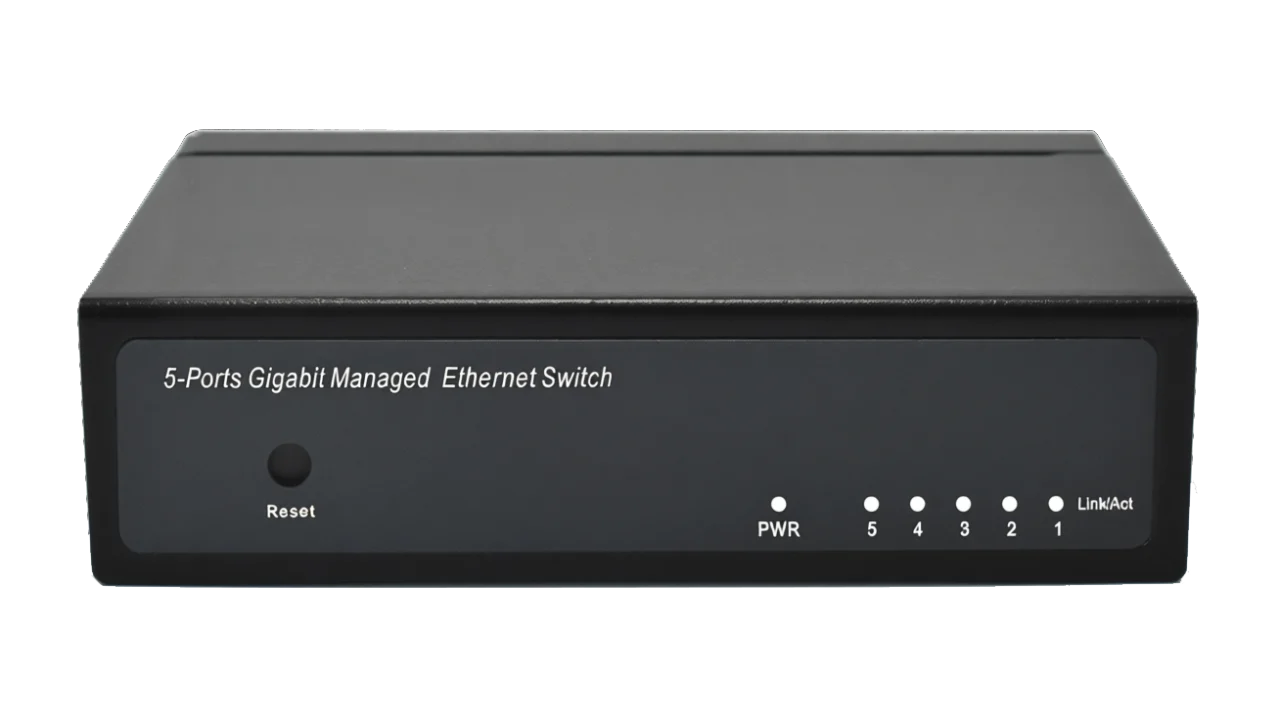
Ethernet Switch 5 Port
with Easy/Smart/Web managed function
Full Gigabit Ethernet switch with 5 ports and easy management features (basic network configuration can be done quickly via a web interface). It’s ideal for entry-level users, allowing you to easily adjust your network architecture without needing complex switch configuration knowledge.
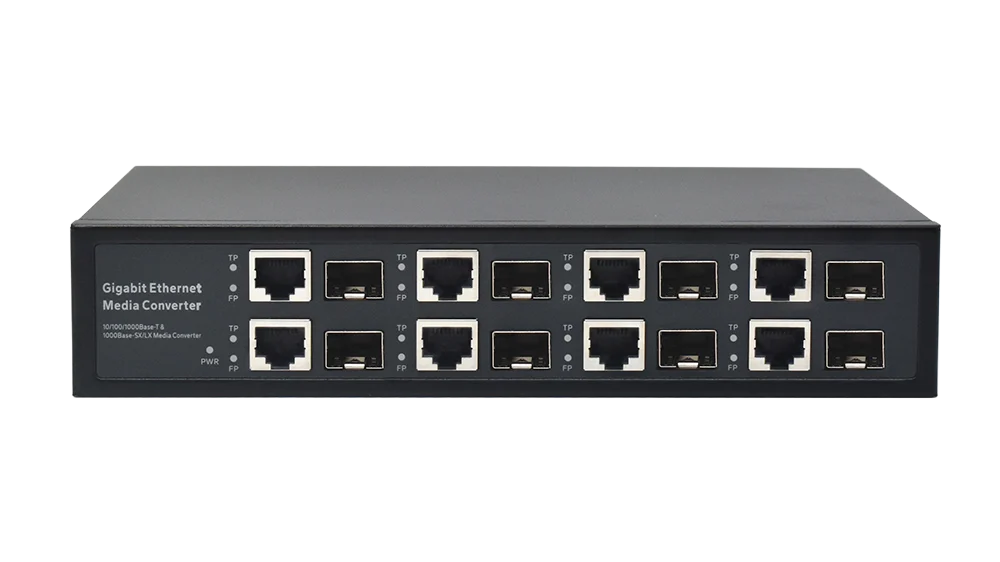
Gigabit 8-port Media Converter
Each group of ports is completely physically isolated.
This media converter fiber-to-Ethernet switch ensures complete physical isolation between all fiber optic and Ethernet ports. It is ideal for situations requiring highly isolated networks, such as simultaneously building internal and public information networks. It’s also suitable for scenarios where fiber optic resources are limited but many independent Ethernet connections are needed, and for expanding DSLAM bandwidth without altering existing fiber optic infrastructure.
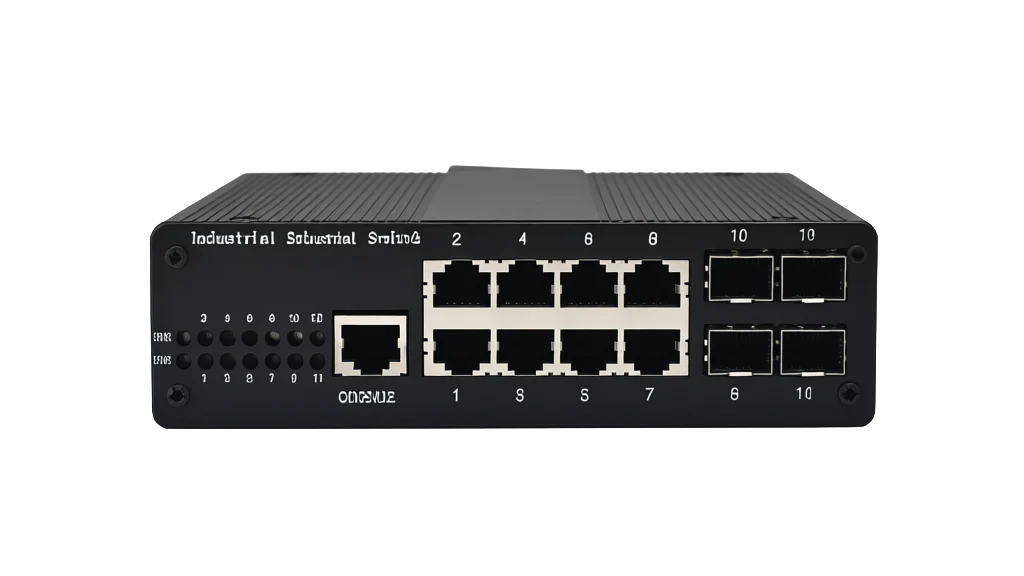
L2 managed 8 Port PoE Switch
Ports: 8×Gigabit RJ45 + 4×SFP fiber ports
Why Partner with Wanglink?
With 13 years of experience in the communication manufacturing industry, Wanglink has consistently focused on deepening its expertise and pursuing innovation. Adhering to the product design philosophy of practicality, stability and reliability and the business development strategy of customer-centricity, we now offer over a thousand products across a full range of specifications. Our solutions serve tens of thousands of customers worldwide and are being adopted by a growing number of industries and application fields.
Knowledge Hub & Company News Wanglink
-
How Does a Network Switch Work? A Practical Guide
Learn how a network switch forwards Ethernet frames, builds MAC tables, supports VLANs, PoE, redundancy,…
-
What Does a Network Switch Do? A Practical Guide
Learn what a network switch does, how it connects devices, and the differences between managed,…
-
Holiday Notice: 2026 Mid-Autumn Festival & National Day
Dear Valued Customers, Thank you for your continuous support and trust in WangLink (Shenzhen Wanglink…
-
How Industrial PoE Switches Support Highway Toll-Station Surveillance
Outdoor toll-station networks place cameras and wireless equipment in roadside cabinets where heat, moisture, electrical…
Looking to grow your business?
Wanglink Can Help.
Please reach out and we’ll be in touch with you shortly.
Contact
Phone : +86 0755 89314527
Email : info@wanglink.com
Factory address:
6th Floor, Building B, Chanfu Technology Innovation Building, Longgang District, SZ, China