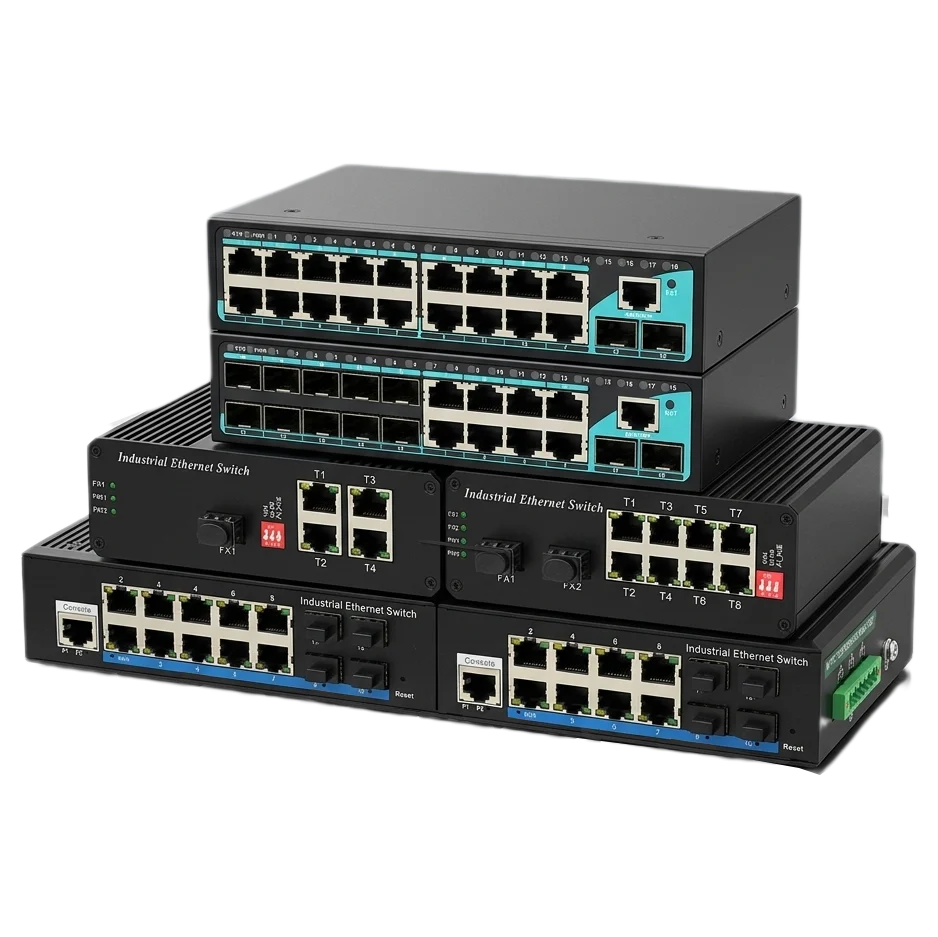

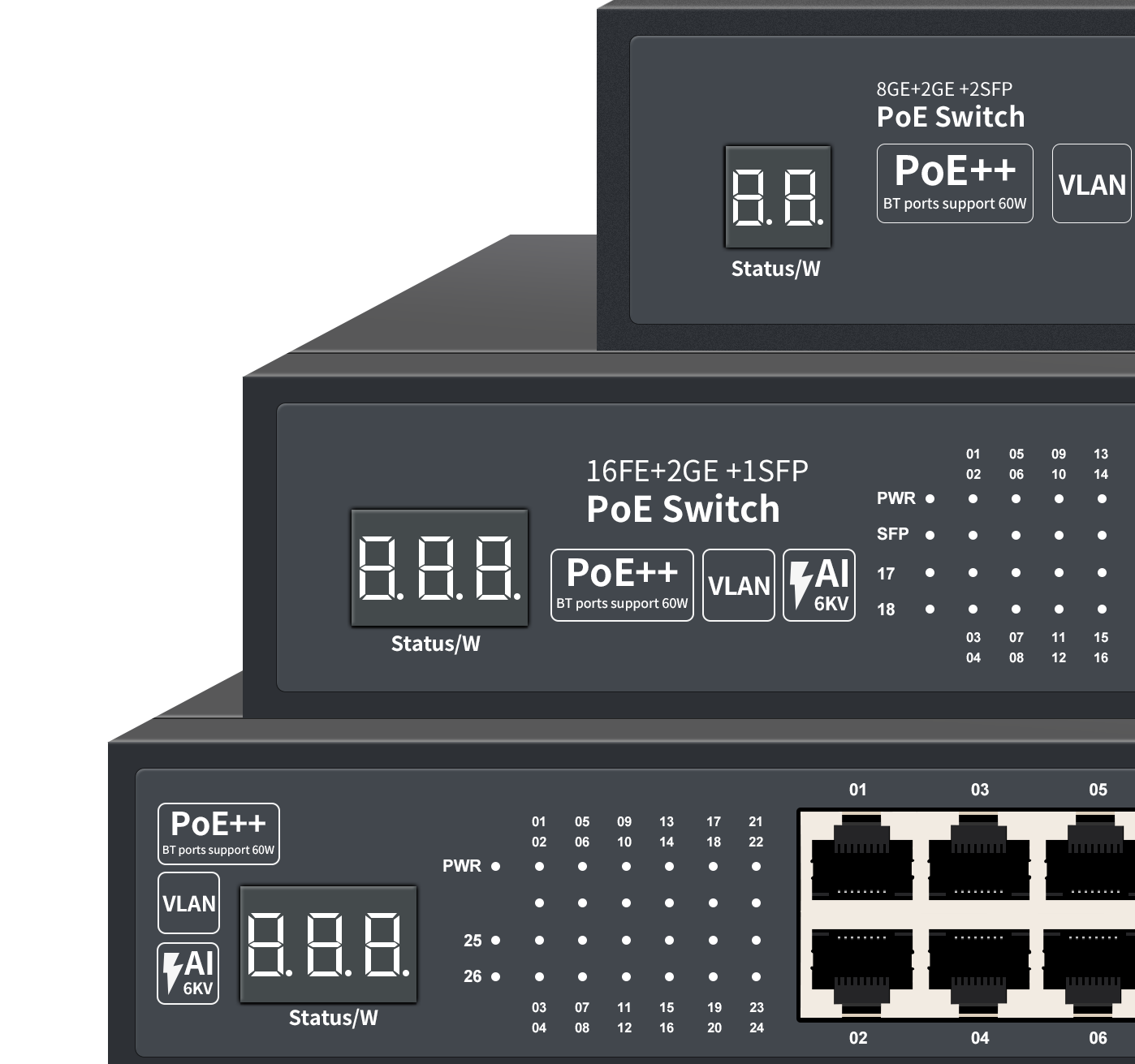

Industrial Ring Ethernet Switch: What It Does and Why We Use It
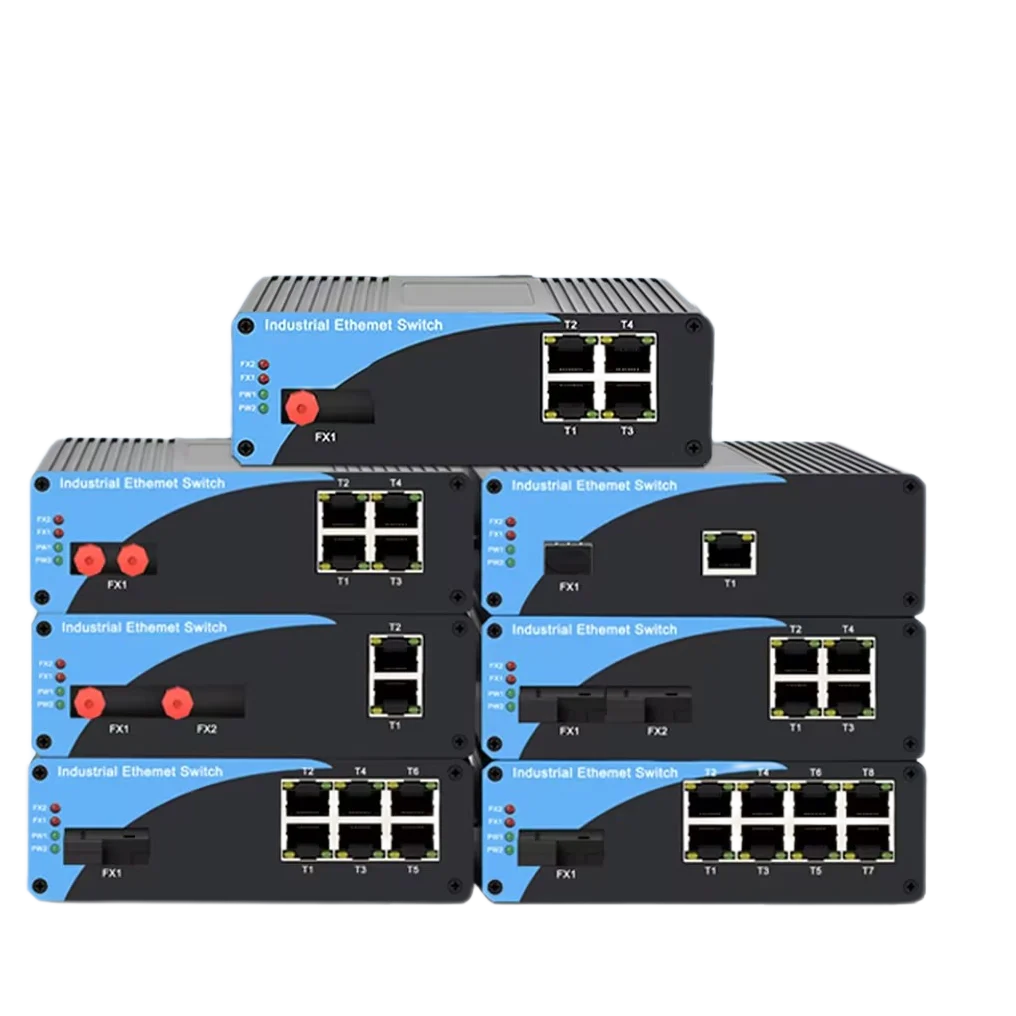
An industrial ring Ethernet switch is a network device that ties IP cameras, PLCs, wireless access points, and other field gear into a closed loop. Forget the old star layout—where every cable runs back to a central switch. Here, each switch sits between two neighbors, forming a continuous ring. If one link snaps or a switch goes down, the data simply turns around and travels the other way.
How a Ring Switch Actually Works
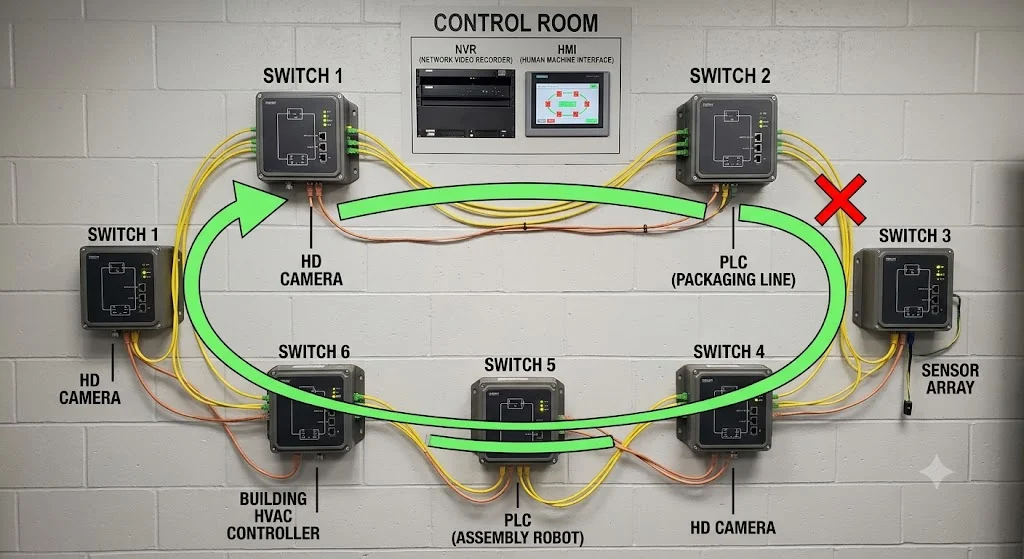
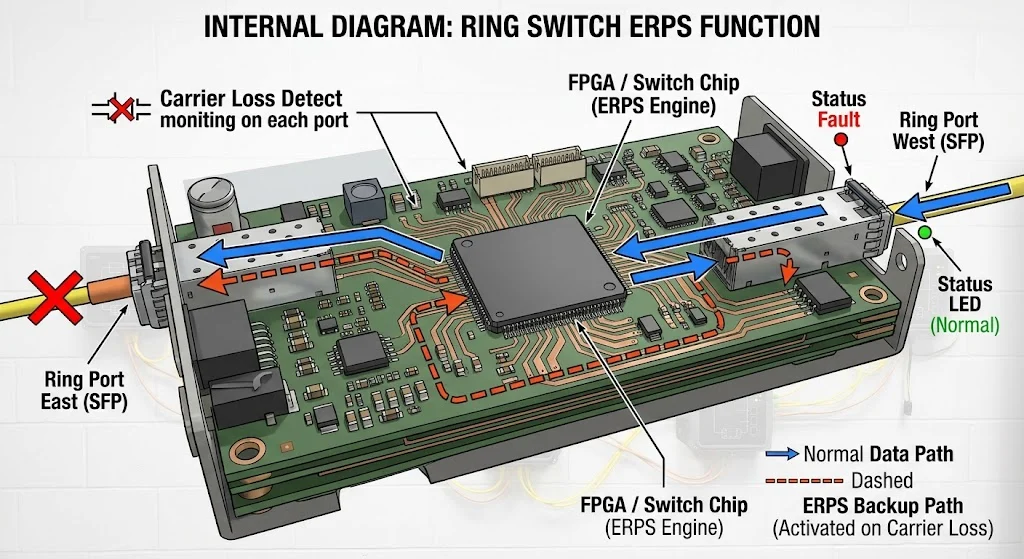
Every Ethernet ring needs a protocol to avoid packet storms. The switch runs something like ERPS (G.8032) or a vendor-specific fast-ring protocol. Normally, one link in the ring is logically blocked. Picture it as a “backup door” that stays shut. All traffic flows clockwise (or counter‑clockwise) along the active path.
If a fiber cut happens—say a forklift snags a cable in a warehouse—the switches detect the failure in just a few milliseconds. The blocked port flips open, and traffic instantly takes the alternate direction. The whole failover is typically done in 20–50 ms, fast enough that most IP cameras won’t even drop a single frame.
Here’s a real example. At a water treatment plant, we ran a ring of eight managed switches to connect pump PLCs and PTZ cameras. One node lost power during a thunderstorm. The ring healed in 28 ms. The SCADA operator never noticed any alarms disappearing from the screen.
Key Specifications That Matter on a Job Site
| Parameter | Typical Range | What It Affects | Real-World Note |
|---|---|---|---|
| Ring recovery time | 20 ms – 500 ms | Service interruption length | Aim for ≤ 50 ms for video or motion control; anything above 200 ms can make SCADA systems log a timeout. |
| Ring ports | 2 dedicated (SFP/copper) + access ports | Physical topology | Dedicated ring ports leave the other gigabit ports free for cameras, Wi‑Fi APs, etc. Avoid switches that use software‑based ring on shared ports—they add jitter. |
| PoE budget | 30 W (802.3at) or 60‑90 W (bt) per port | Camera/AP power | When building a ring of PoE switches, check the total heat in a sealed cabinet. Good switches let you set a priority per port so critical cameras reboot first after a cold start. |
| Operating temp | -40°C to 75°C | Outdoor deployment | Fanless, sealed metal cases matter. You don’t want a $50 industrial switch with a tiny fan that clogs in six months. |
| Management | Web, CLI, SNMP, DDM | Troubleshooting and monitoring | In ring setups, DDM (digital diagnostics) on SFPs is gold. You can see the actual optical power in dBm before the link degrades below the threshold. |
ERPS vs. Proprietary Fast Ring – Don’t Mix Them Blindly
This trips up a lot of integrators. ERPS (G.8032) is an ITU standard that plays nice with switches from different brands. Proprietary rings (like “Turbo Ring” or “RSTP‑based private rings”) are often faster—sometimes under 5 ms—but lock you into one vendor. If you’re building a multi‑brand ring, stick to ERPS and test with a traffic generator. If you’re deploying a single‑brand site all at once, the proprietary protocol usually wins on speed and simpler configuration.
Where Ring Switches Shine, and Where They Don’t
Great Candidates for a Ring
- Road tunnels and rail signaling – long linear layouts that need self‑healing without two separate home‑run fibers.
- Factory production lines – conveyors, robots, and vision systems that can’t tolerate a 30‑second RSTP convergence.
- Wind farms and solar arrays – devices spread across kilometers; fiber is expensive, a ring cuts the fiber count nearly in half compared to a redundant star.
- IoT gateways and access control – where many low‑bandwidth nodes need resilient backhaul to a central server.
Limits to Keep in Mind
- The number of nodes in a single ring is typically capped at 30–50 because each additional switch adds a tiny relay latency. Go beyond that, and the ring recovery time creeps up.
- Adding a new switch to a running ring usually requires a deliberate window: you break the loop, insert the switch, and let the protocol relearn. Some rings let you do this with zero packet loss using a “dual‑homing” temporary bypass.
- All switches in the ring must run the same protocol version. Running half the ring on ERPSv1 and half on v2 can cause unexpected oscillations.
What’s Coming Next
We’re starting to see TSN (Time‑Sensitive Networking) make its way into industrial ring switches. TSN brings guaranteed sub‑millisecond latency and time synchronization, which matters for precise motion control across the ring. For now, it’s pricey, but it will become common in Industry 4.0 lines. Also, dual‑ring topologies (where each switch has four ring ports) are being used more to create overlapping redundancy for substation automation.
Ring Switch vs. Other Ways to Connect the Same Gear
| Approach | Failover Speed | Fiber Use | Complexity | Good For |
|---|---|---|---|---|
| Managed Ring (ERPS) | 20‑50 ms | Low (1 fiber pair per link) | Medium – need to configure ring ID, roles | Linear sites, mixed brand networks |
| Proprietary Fast Ring | 1‑10 ms | Low | Low – only a checkbox in GUI | Single‑vendor installs where every millisecond counts |
| RSTP Star Topology | 2‑30 seconds | High – dedicated home‑run fibers from each switch | Very low – basic spanning tree | Small offices, non‑critical access layers |
| Daisy Chain (no ring) | None – broken chain isolates all downstream devices | Low | Zero | Temporary setups, or where you don’t care about uptime |
Notice we didn’t even mention RSTP as a ring replacement. RSTP works at the MAC level and will block a port to break a loop, but its convergence involves flooding and timers. In a 20‑switch ring, you can watch video freeze for five seconds while spanning tree does its math. That’s why we pay attention to the ring protocol, not just the topology.
How We Actually Deploy a Ring on a Project
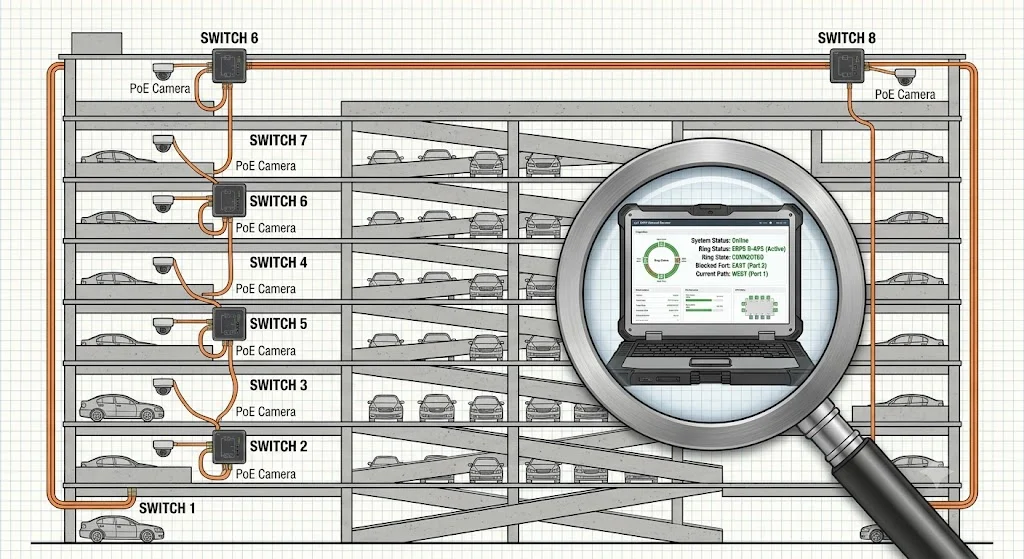
Let’s walk through a typical parking garage surveillance upgrade. The garage spans four floors, and the client wants 32 cameras, all powered by PoE, with a single fibers back to the security office in the basement.
Equipment list:
- 8 x managed ring switches: 4 gigabit copper PoE+ ports (up to 30 W each) + 2 gigabit SFP slots dedicated to the ring.
- SFP modules: single-mode, 10 km, LC connectors (the footprint fits compact enclosures better).
- Fiber cable: 4‑core SM armor, one core used for the ring path, spare core dark.
Step by step:
- Place one switch at each vertical cable riser on every floor – two switches per floor, covering east and west sides.
- Connect the ring: Switch‑1 (floor B1 west) fiber to Switch‑2 (floor B1 east), then up to Switch‑3 (floor 1 east), and so on, until Switch‑8 connects back to Switch‑1.
- Before plugging in the last fiber, assign the ring master role to Switch‑1 and set all others as “transit” in the config. Enable ERPS with a shared ring ID.
- Plug the final fiber. The master sees the loop, blocks its east port, and starts sending health-check packets.
- Verify with a ping test: unplug one ring fiber. The ping drops 0 or 1 packet (that’s a 20 ms failover).
- Connect cameras; go to the switch GUI and set PoE priority for entrance cameras to “high” so they come back first after a building power cycle.
Mistakes That Come Up Over and Over
- “Just connect the switches in a circle and it will work.” Almost right, but without a ring protocol, you get a broadcast storm. One broadcast frame will loop until the CPU is at 100%. Always enable ERPS or a fast‑ring profile.
- “If I use single-mode fiber, I’m covered up to 20 km no matter what.” Not if you use cheap LX SFPs rated for 10 km on a weak splice. Measure the optical budget: if your path loss is 8 dB and the SFP can only handle 7 dB, you’ll see random link flaps when it gets cold at night.
- “Recovery time is the only number that counts.” It’s important, but also check re‑recovery—what happens when the original link comes back. Some protocols flap the ring twice, causing an extra 100 ms blip. Good gear lets you set a revertive delay (300 seconds is common) to let the link stabilize before switching back.
- “Managed rings don’t need STP.” True inside the ring, but if you accidentally connect an unconfigured switch with a cable creating another loop to the ring, STP can save the network. It’s fine to leave RSTP enabled on access ports as a safety net.
- “All SFP modules are the same.” Always check the DDM info. A ring link running at -29 dBm receive power is a few dB from the floor. If you install it in the summer, by winter the attenuation will climb and the link will go down. Use DDM to trend the optical power weekly.
Pro tip: When you commission a new ring, take a baseline screenshot of the optical power on every SFP. Tape it inside the cabinet door. It saves a lot of guessing six months later.
That covers the fundamentals we train our Wanglink support team on. Industrial ring Ethernet is a simple concept—two paths, one always ready—but paying attention to the protocol, the optics, and the real thermal environment is what makes a site last ten years instead of eighteen months.